
How to recalculate uploaded files
Last updated: 18 August 2026
Recalculation lets admins re-run the emissions calculation on files that are already uploaded, straight from the file list in Analyse > Files & Submissions. When NetNada's calculators improve, those better numbers can be applied to files you uploaded months ago — without re-uploading anything.
In this article, you'll learn how to:
- Understand when recalculating your files is worth doing
- Select one or several files and run a recalculation
- Read the live progress and per-file results
- Know what happens to your existing numbers — and what can't go wrong
Why recalculation exists
NetNada's calculation engines improve over time — matching gets smarter and emission factors are refined. Until now, those improvements only applied to new uploads. Recalculation closes that gap: it re-runs today's calculators over your existing files, so your whole inventory benefits from the latest methodology.
It works across categories, too. The system determines the right data type for each file itself, so you can select several files from different categories — say an electricity file and a purchased goods file — and recalculate them in one run.
Run a recalculation
Open the file list
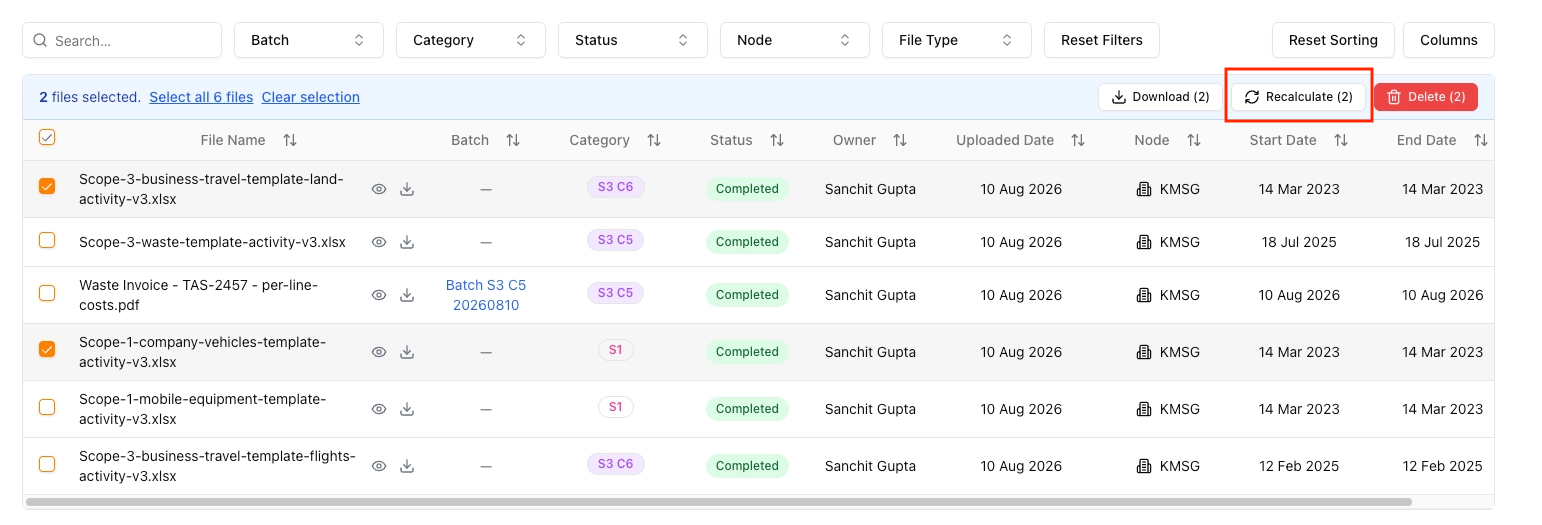
Select the files to recalculate
Start the recalculation
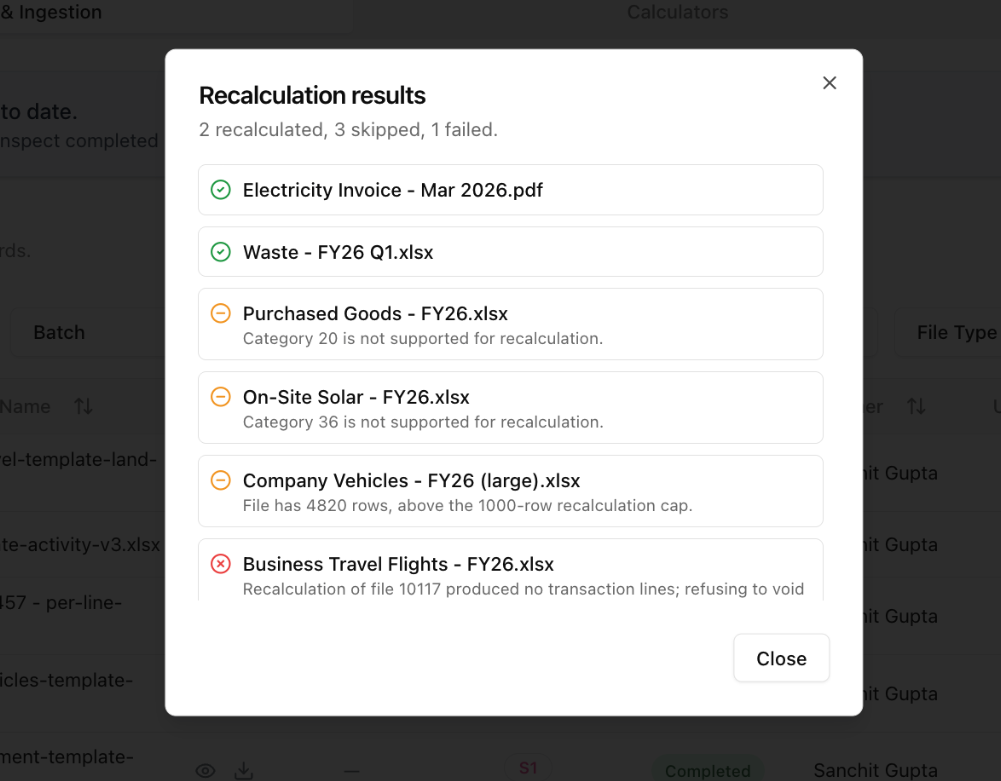
Review the per-file results
How your existing numbers are protected
Recalculation is safe by design. When a file recalculates successfully, the old calculation lines are voided and replaced by the new ones — nothing is silently overwritten, and the change is visible in your audit trail. If a file fails partway through, its previous numbers are left completely untouched, so a failed run can never leave you worse off than before.
Some files are skipped rather than recalculated, and the results always tell you why. The two common reasons are a category the recalculation engine doesn't yet support, and very large files above the row cap. Skipped files keep their existing numbers.
Once a file recalculates, the updated figures flow through to your dashboards and the audit trail automatically — there's nothing further to submit or approve.