NetNada - May 20 2026 Product Release




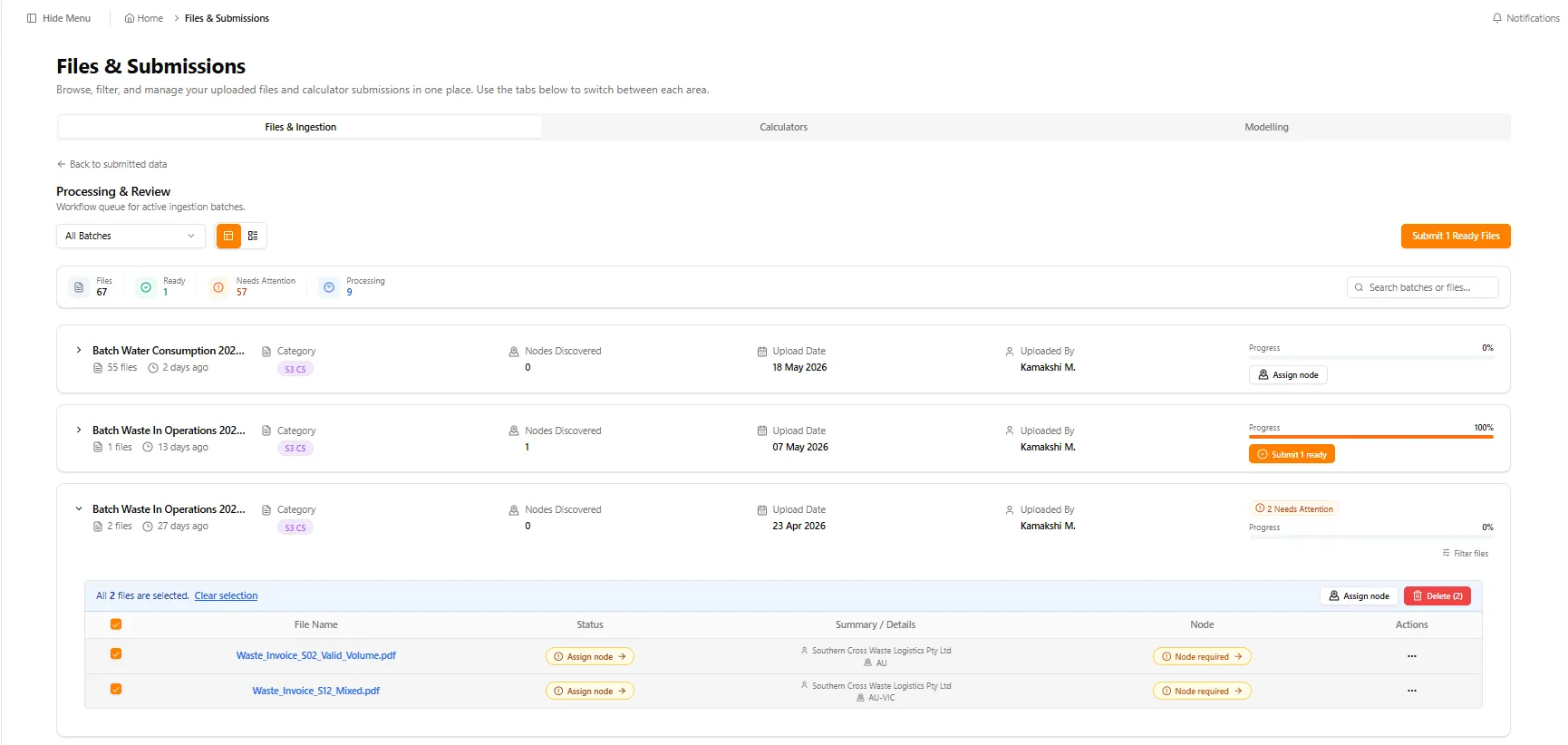
This release is all about giving you more control over your data and administrative settings — without slowing you down. We’ve upgraded bulk actions on the Processing & Review screen, moved heavy file work into the background so you can keep working, sharpened date handling, and made it easier than ever to bring teammates and external advisors into your portal.
Release window: May 6 – May 20 2026 · Environments: Production
Faster File Review & Bulk Actions
Reviewing uploaded documents is now significantly faster. Instead of micro-managing files one at a time, you can handle multiple records simultaneously right from the Processing & Review screen.
What's new
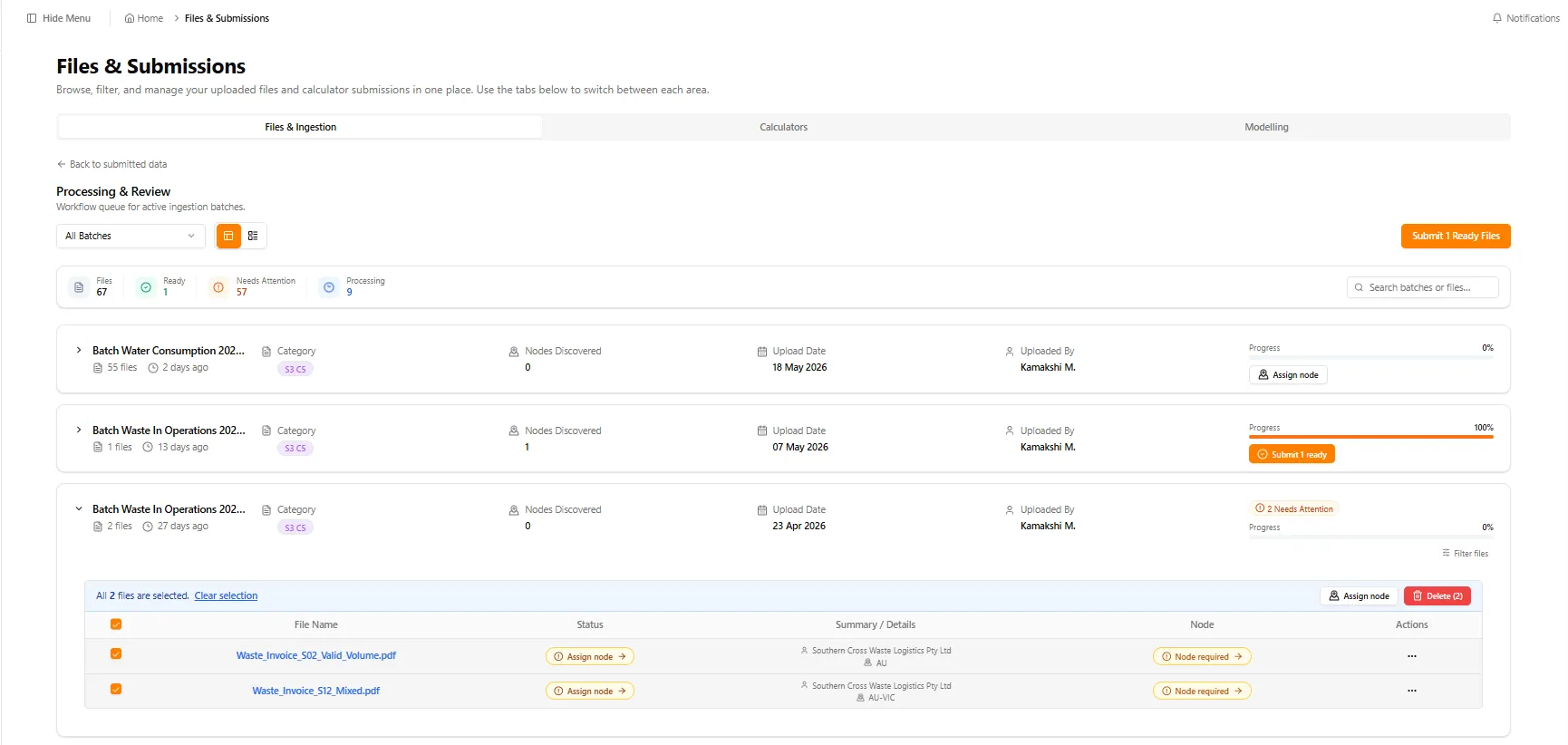
- Bulk controls: select multiple files at once to submit them, assign or confirm business locations (nodes), retry failures, or delete items instantly
- Simplified layouts: brand-new grouped or flat views, cleaner filtering options, and batch searching to find exactly what needs your attention
- Direct submissions: ready files can be dispatched directly from the main batch summary view — no more drilling into individual batches to finalize data
Smarter Background Processing
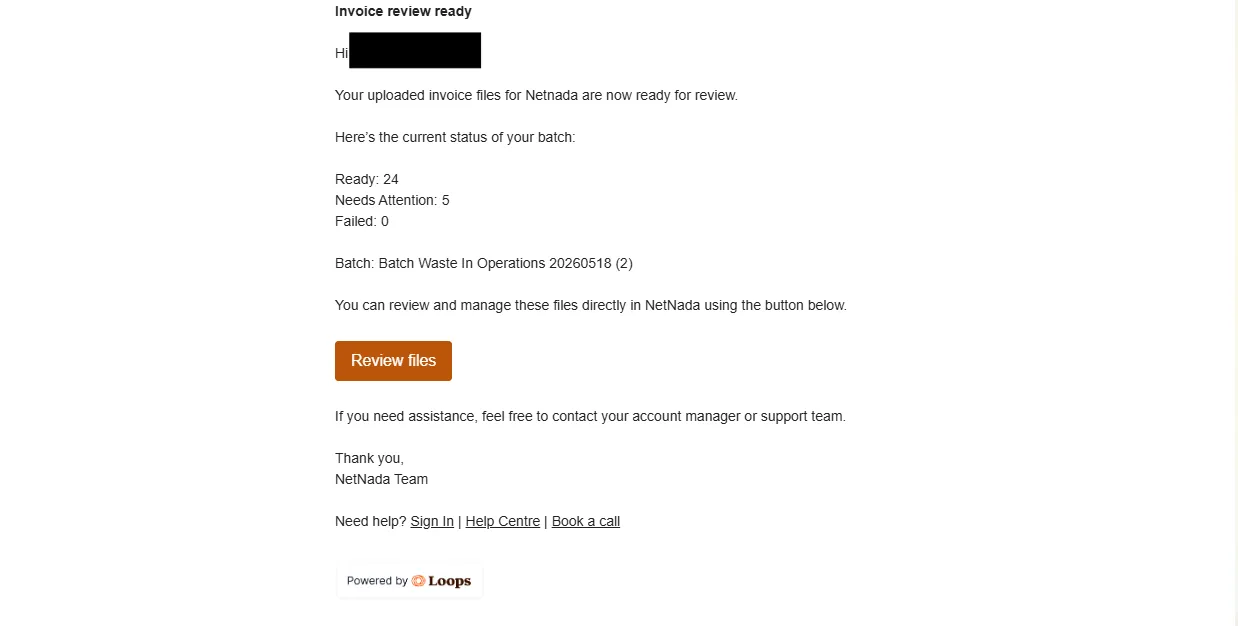
You no longer have to wait on loading screens while files upload. Our engine now crunches numbers quietly in the background so you can stay productive on the rest of your work.
- In-app notifications: real-time alert pings featuring direct shortcuts back to your open workflow keep you focused inside the platform
- Email notifications: a complete summary email lands in your inbox the exact moment your background data processing finishes
Smarter Date Handling
We’ve adjusted how the platform parses timelines to prevent the most common formatting hurdles during spreadsheet uploads.
Two-digit year support: NetNada now correctly interprets shortened year structures (like DD/MM/YY and MM/DD/YY) while carefully maintaining your specified date sequence configuration for ambiguous files.
Multi-Delete for Files
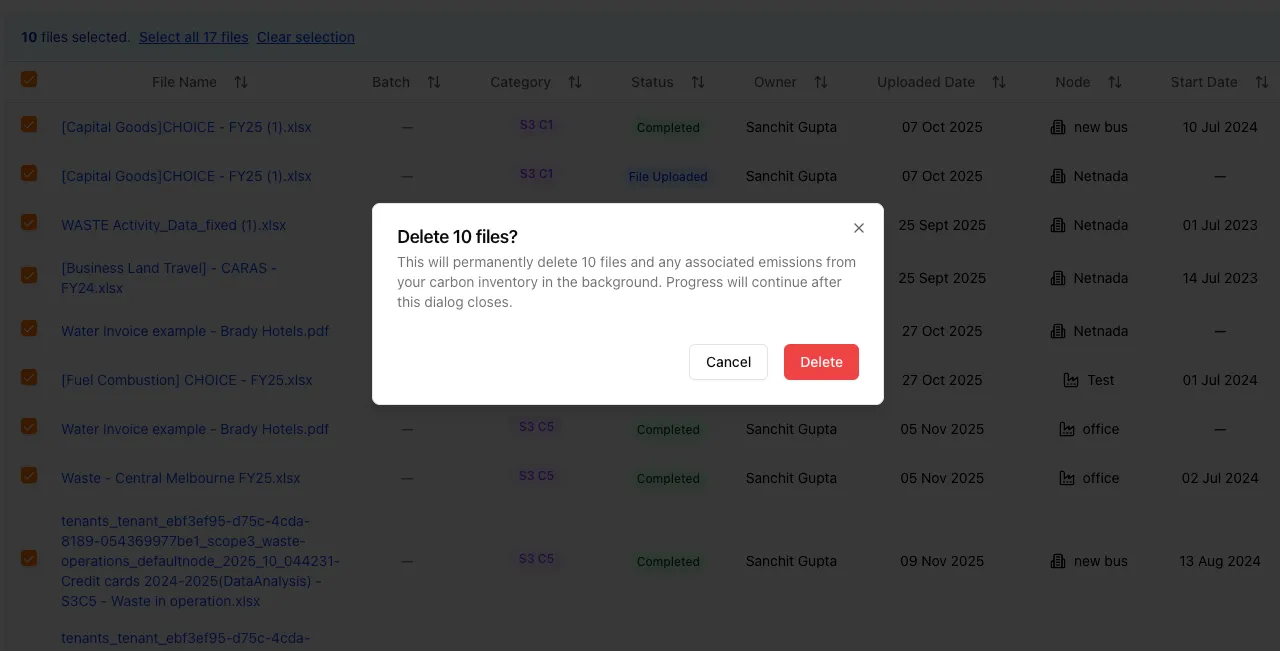
Cleaning up clutter and accidental uploads takes only two clicks. Tick the checkboxes next to any unwanted file entries in the main table grid and remove them all at once — emissions tied to those rows are removed in the background so progress continues even after the dialog closes.
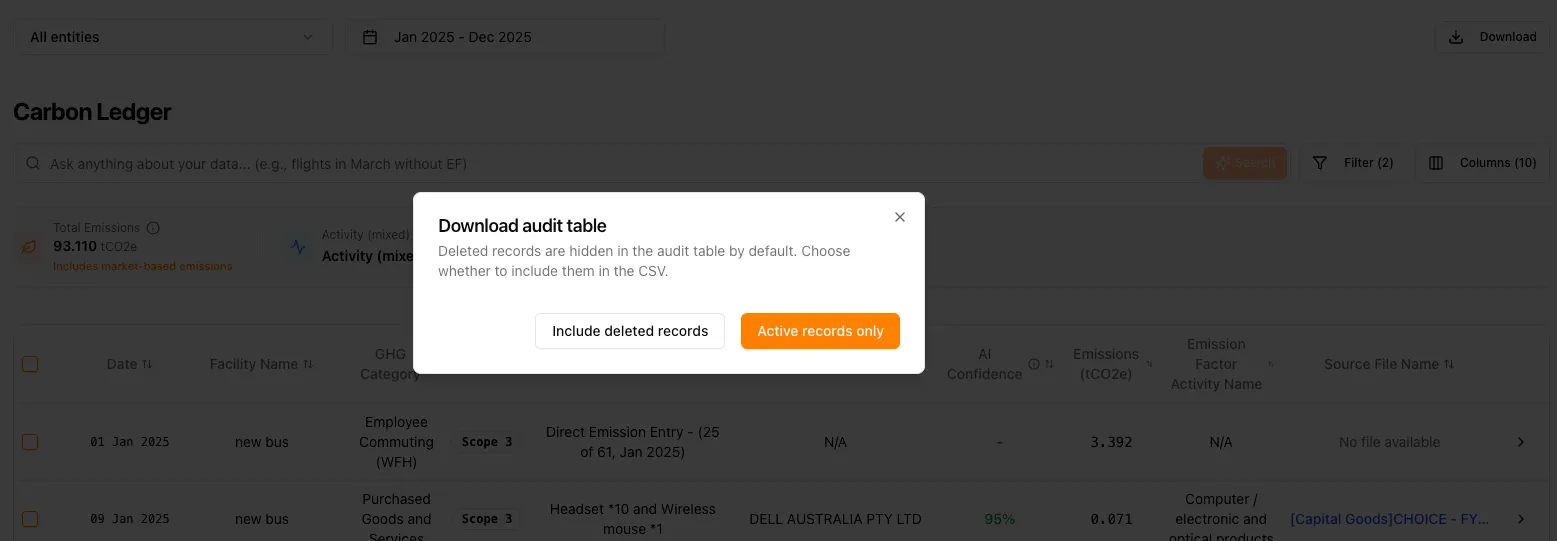
Configurable Audit Downloads
We’ve given you complete command over historical tracking exports to keep your corporate accounting records pristine.
Include deleted records — when triggering an audit table download, a new optional toggle lets you decide whether previously removed rows should appear in your final CSV export.
File Upload Clarity
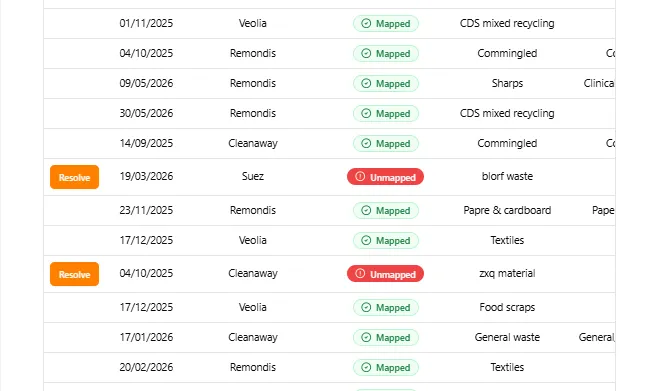
We’ve improved how we show you your uploaded data so there are no surprises.
- Mapping alerts: if you upload a file with fields our system doesn’t recognize, we’ll flag them immediately so you can fix them
- Data honesty: the Files Table now shows you exactly what was in your original file, regardless of which category it belongs to
- Transformation logic: waste reports now tell you if the system “transformed” a waste type to help categorize it correctly
Upgraded Sharing & Invitations
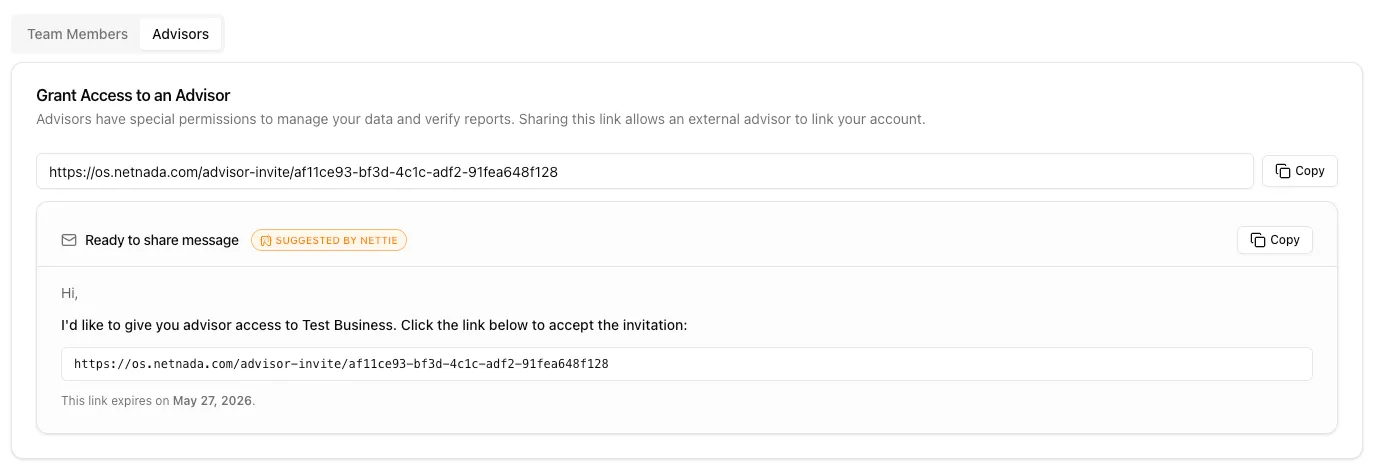
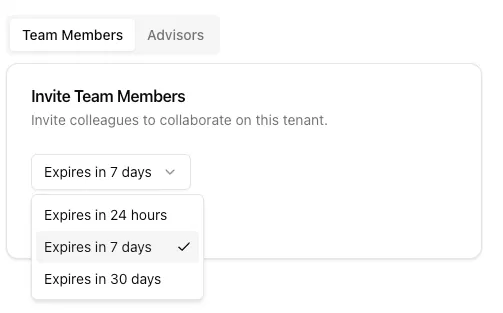
Bringing internal teammates and external sustainability advisors into your portal has never been more fluid.
- Direct URL sharing: advisor onboarding links can be copied and pasted directly anywhere. Even better, Nettie automatically drafts a ready-to-use invitation message for you
- Link expiry windows: secure your environment by choosing exact link lifetime thresholds (24 hours, 7 days, or 30 days) when inviting new users
Under The Hood: Calculations & Bug Fixes
We’ve expanded our calculation logic and squashed outstanding bugs for a faster experience.
- Custom emission factors: added direct compliance support for 2023, 2024, and 2025 custom waste emission factors using the National Greenhouse Accounts Factors dataset
- Global settings: renamed the “ABN” field label across the platform to Business Registration Number to smoothly support our international users
- OCR accuracy: enhanced invoice parsing engine logic to extract data points cleanly from scanned billing documentation
- Platform stability: fixed a rare crash affecting Nettie chat widgets, resolved data reporting inconsistencies inside the Framework Analyser export engine, and fixed an edge-case waste category processing issue
This release note update serves all internal teams, admins, and partners. If you run into any anomalies, please drop a ticket to our Support Team.
Making this planet better, one sprint at a time.
Want to see these features in action? Book a demo today.
Start Your Climate Reporting Journey
Join 1,000+ Australian businesses using NetNada for carbon accounting and sustainability reporting.