NetNada - July 1 2026 Product Release




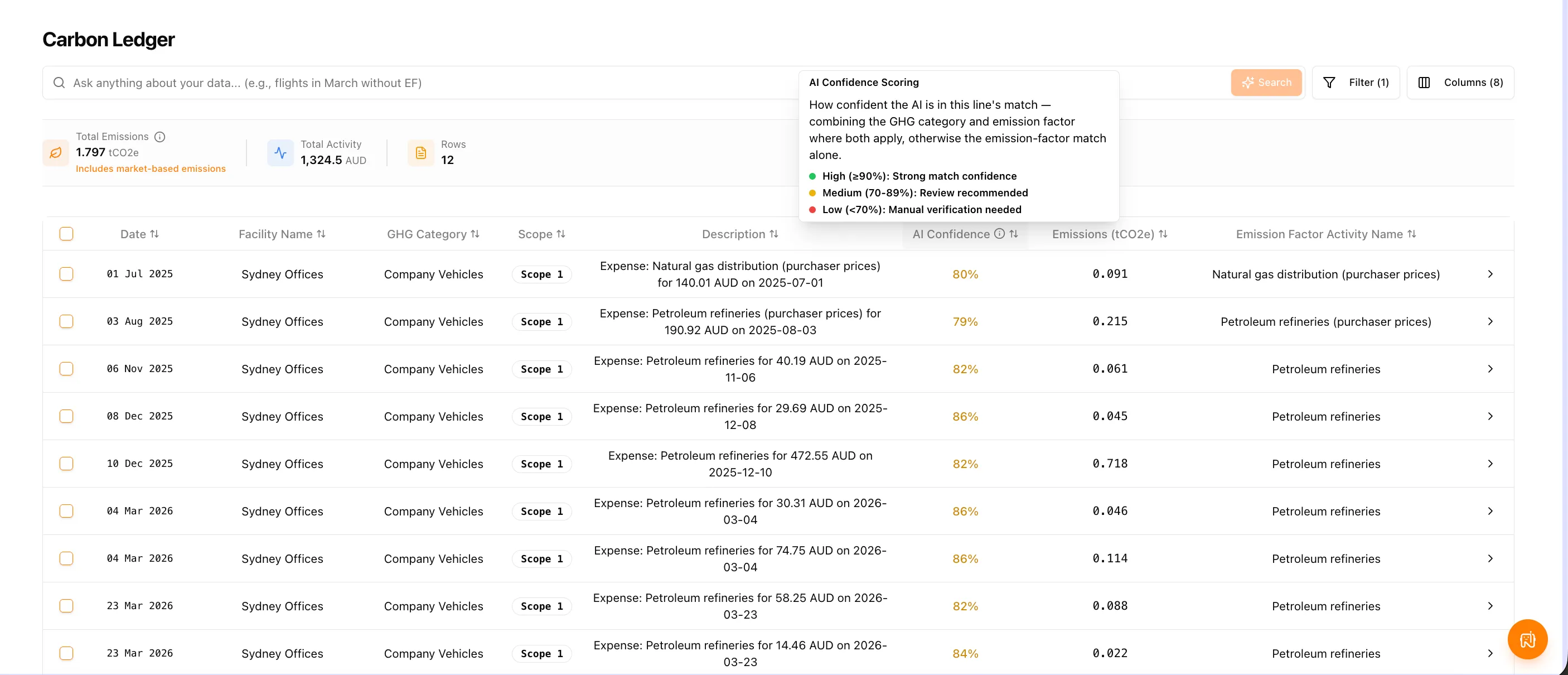
This release focuses on clarity. We’ve made AI confidence visible across the ledger, heavily upgraded the utility bill ingestion engine so invoices land on the right site automatically, and made day-to-day data maintenance far more forgiving.
Release window: July 1 2026 · Environments: Production
Smarter Bill-to-Site Ingestion
Uploading utility invoices is now faster and much more precise. We’ve overhauled the location matching system so records map onto the correct properties automatically.
What's new
- Advanced auto-matching — street names, postcodes and city records are analysed together rather than through a single text query
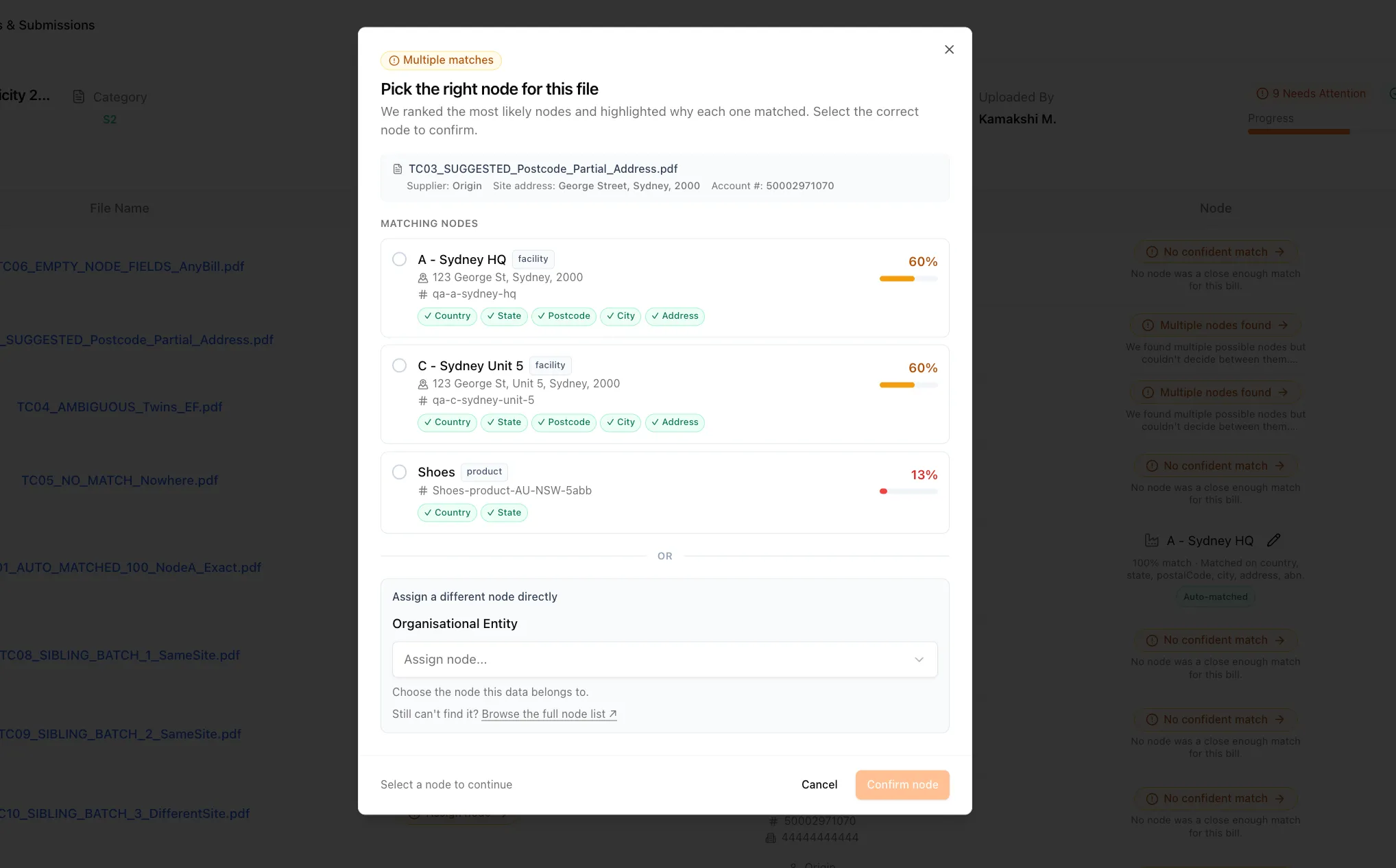
- Clear disambiguation — where several units share a complex, NetNada presents the closest matches instead of guessing
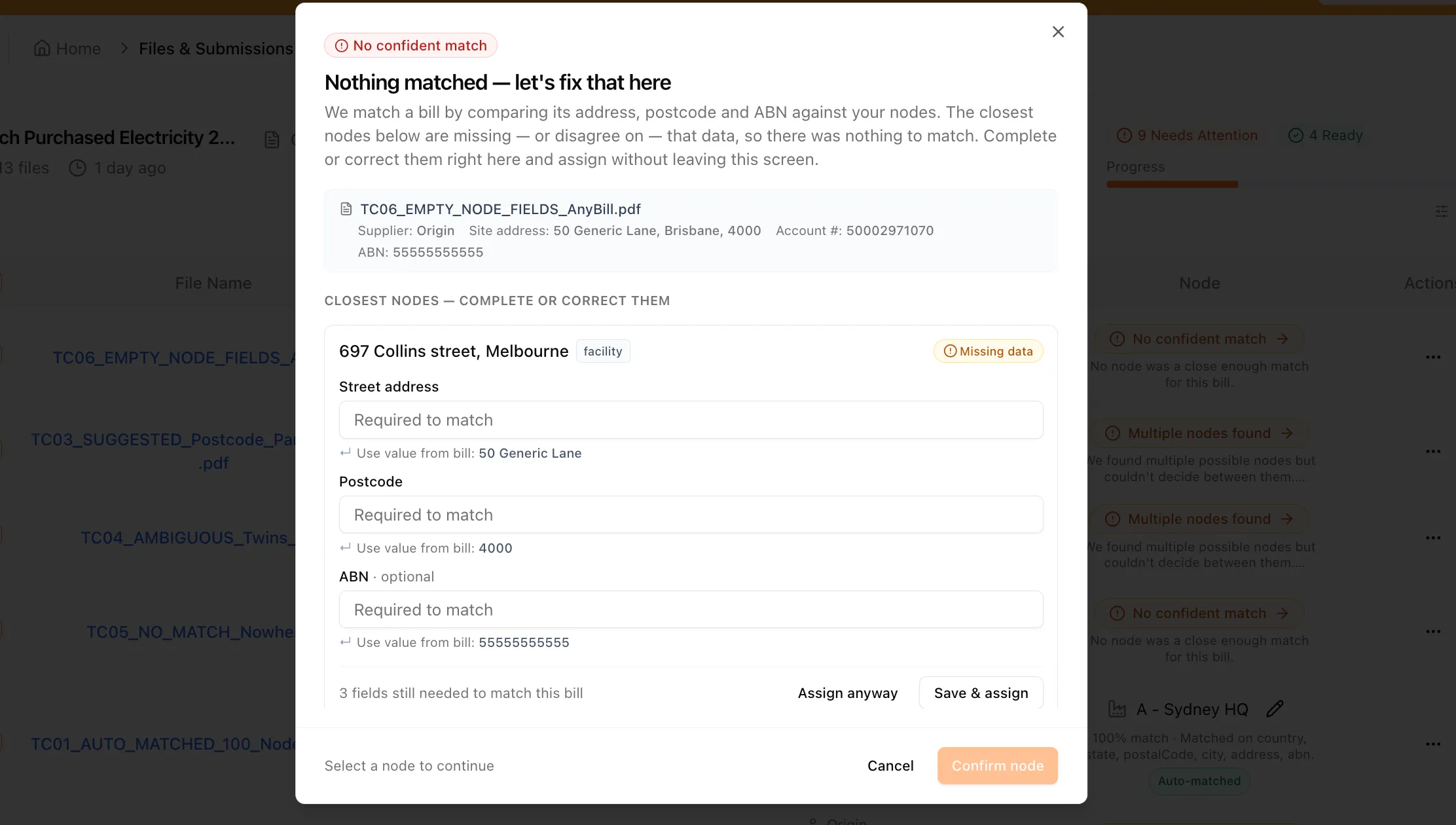
- Inline adjustments — fix missing registration numbers or address components directly in the review screen
- Smart propagation — confirm a facility once and the same logic applies to matching invoices across the queue
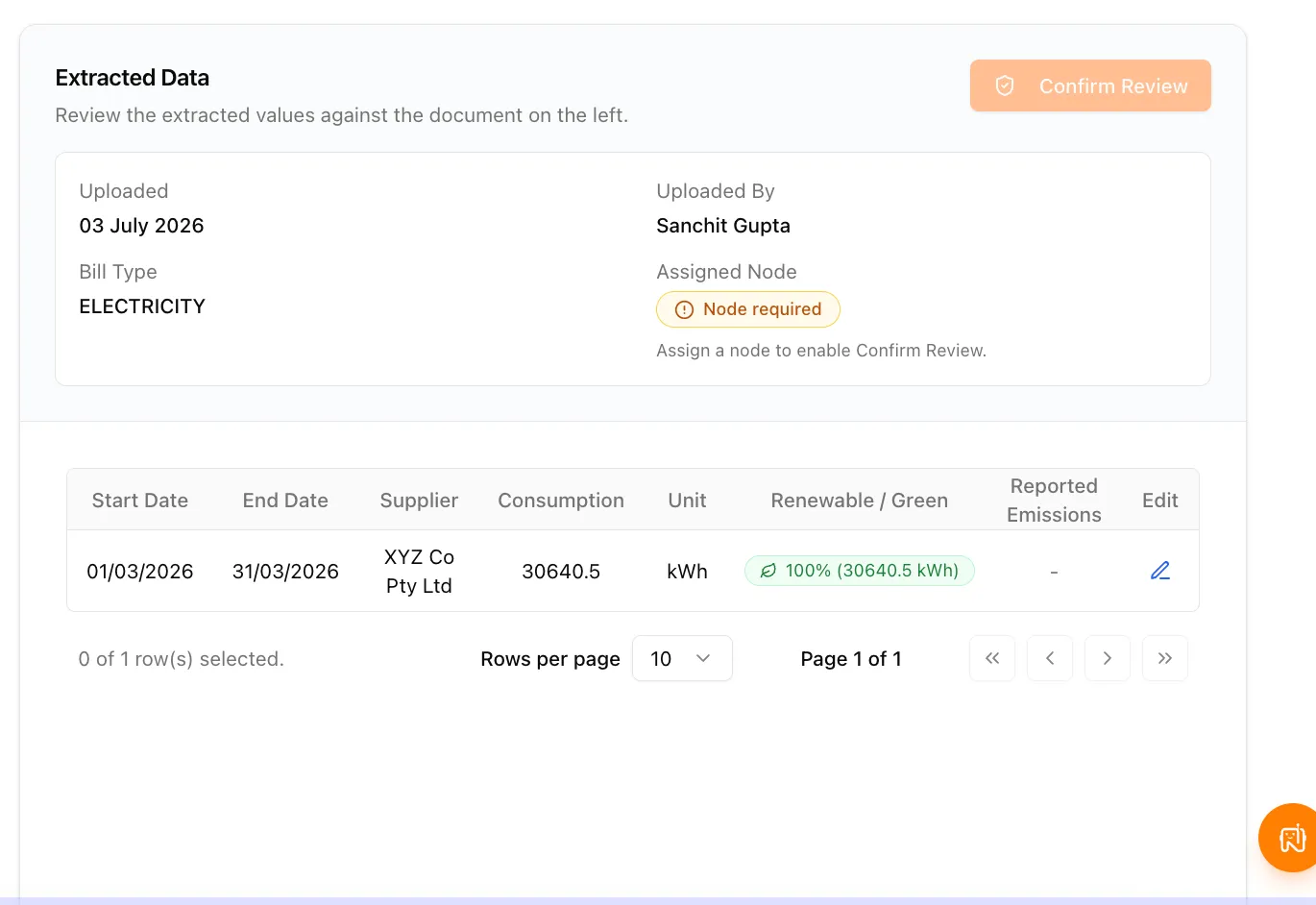
- Transparent status highlights — new "Auto-matched" and "Auto-assigned" labels show what was completed for you
- Flicker-free transitions — moving between batch folders is instant while files process in the background
Each bill in a batch now carries its own matching status, so you can see at a glance which invoices were resolved automatically and which need a decision.
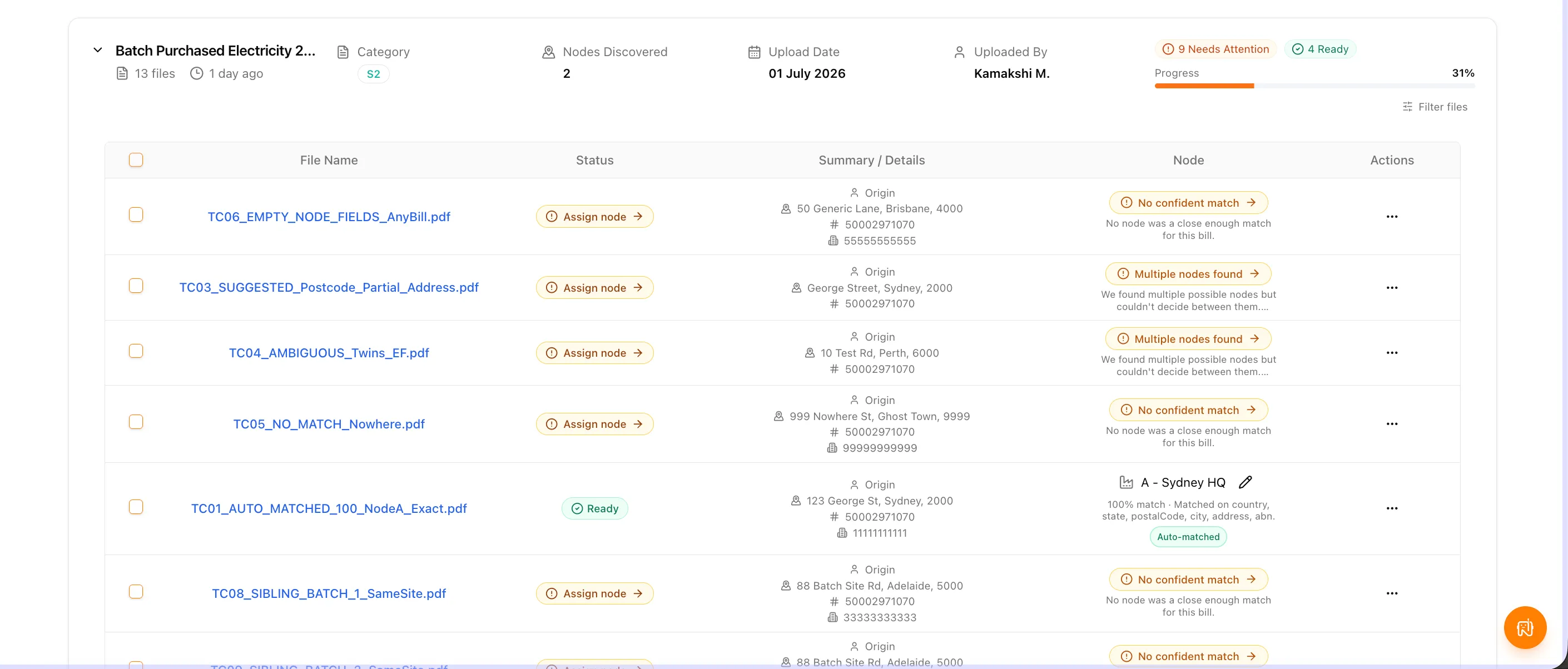
When more than one node is a plausible home for a bill, NetNada ranks the candidates and shows exactly which fields matched — country, state, postcode, city and address — so you can confirm the right one rather than guessing.
Where nothing matched because the node itself is missing data, you can complete the address, postcode or registration number inline — pulling the values straight from the bill — and assign without leaving the screen.
From the node table you can also filter to just the records missing match data, fix them in bulk, and let the system re-match automatically.
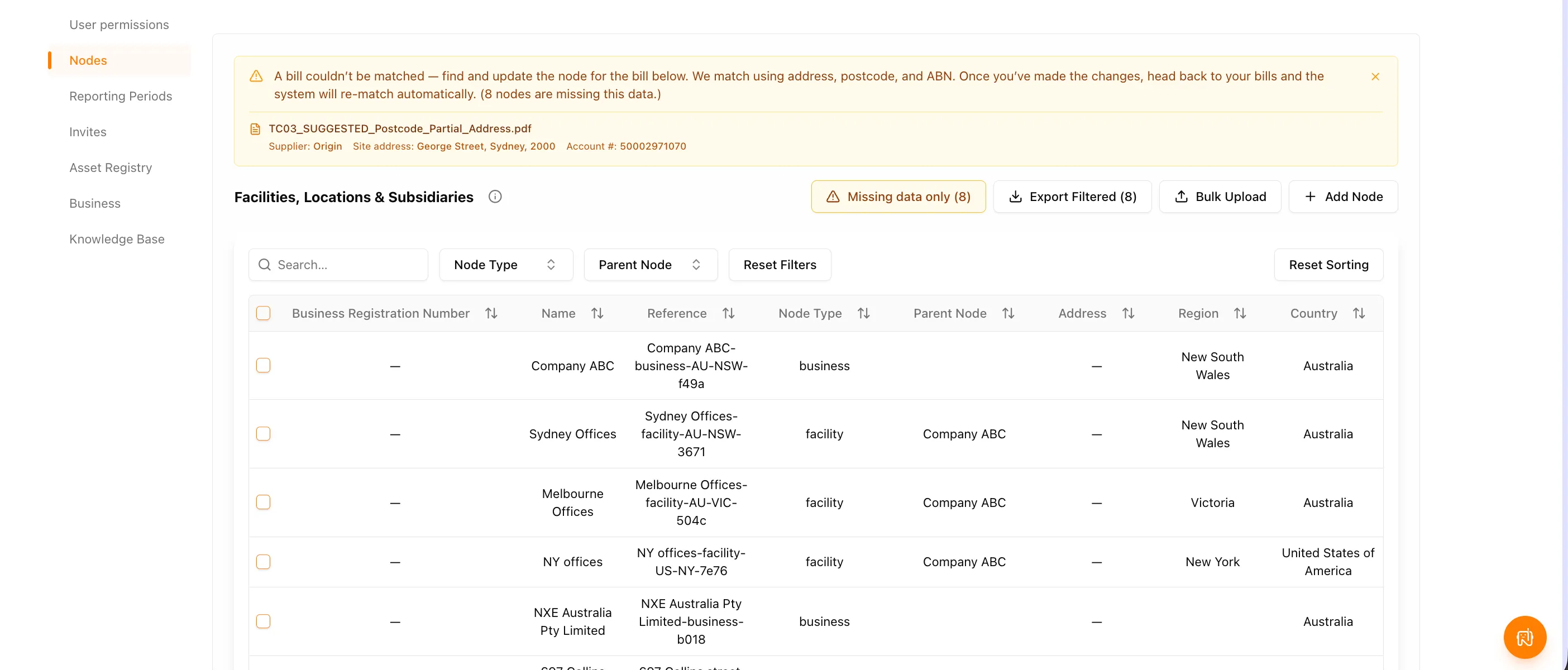
Why it matters: invoices no longer drift onto nearby properties, and the fixes that used to require a trip to the node admin screen now happen where you're already working.
AI Confidence Scoring Engine
You can now inspect the logic and probability behind every AI assignment, so audit data can be trusted line by line.
What's new
- Line-item certainty — business travel, waste and corporate spend entries each carry a confidence score recorded to the row
- Granular disclosures — expand a ledger row to see how the AI rated its GHG classification against its emission factor pairing
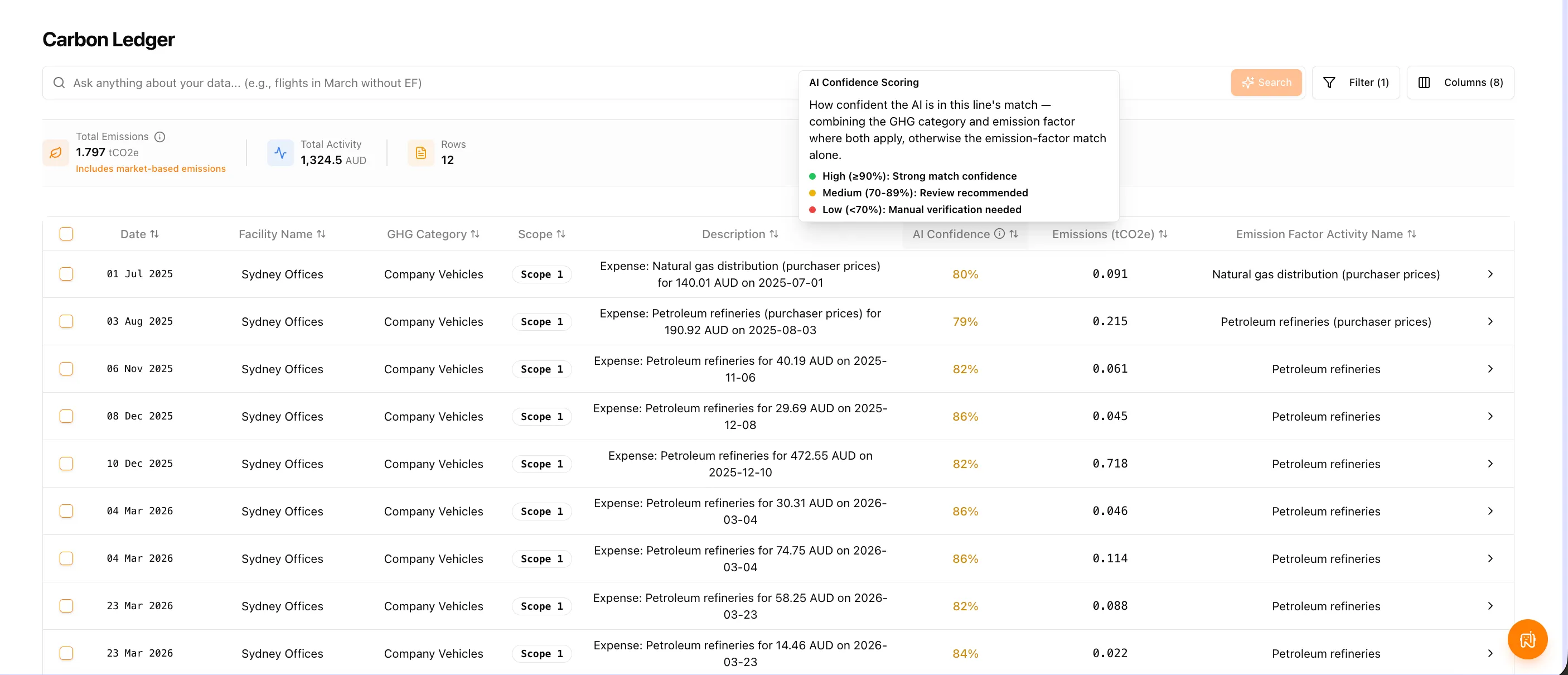
- Visual review thresholds — colour-coded badges split scores into High (≥90%), Medium (70–89%) and Low (<70%)
- Export compatibility — confidence profiles are captured in downloads so external assurers can see them immediately
The Carbon Ledger now carries an AI Confidence column, with the banding explained inline so reviewers know which rows to prioritise.
Opening a line shows the confidence breakdown alongside the emission factor, its source and dataset, so you can see precisely what drove the score.
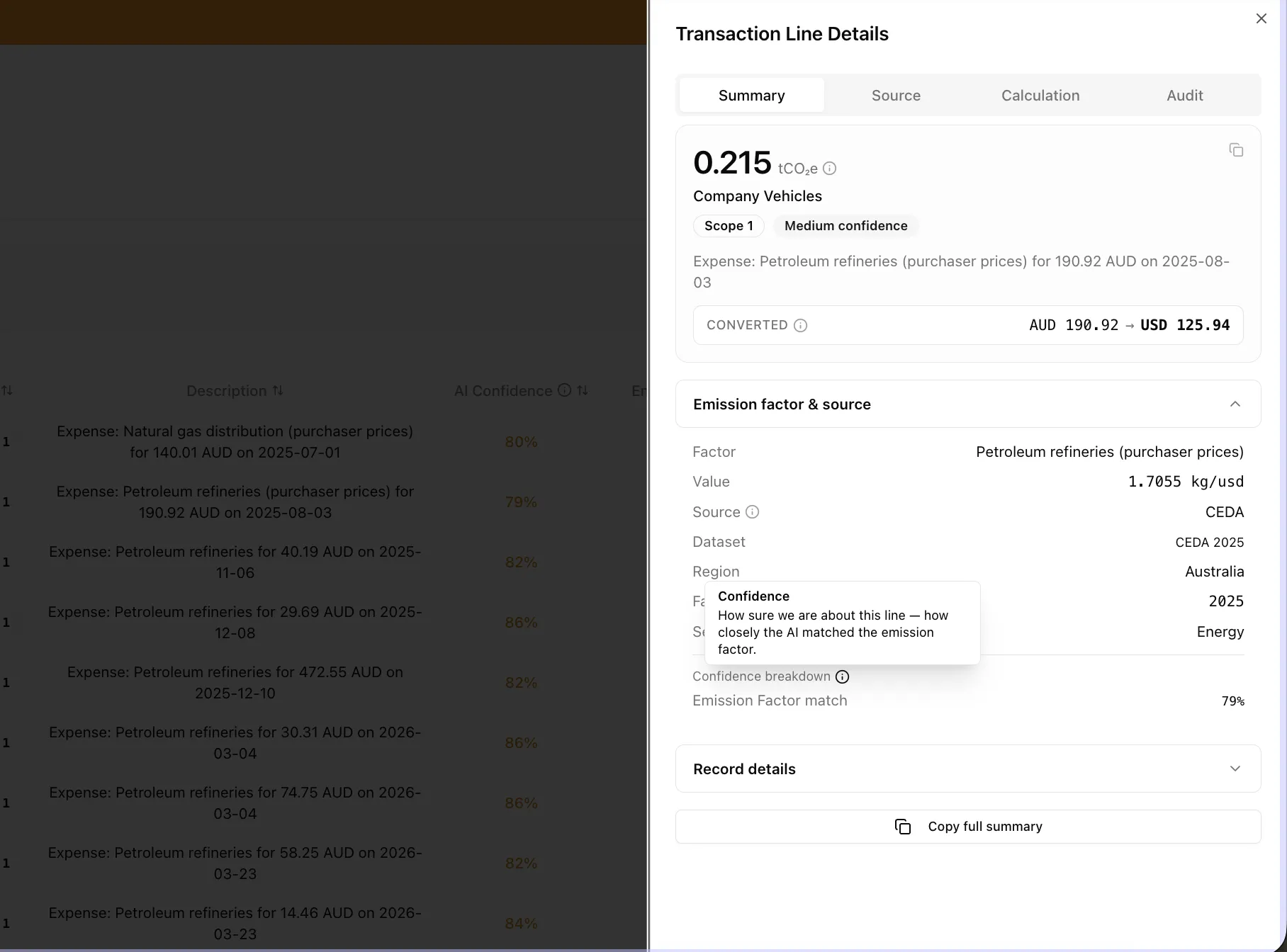
Why it matters: reviewers can spend their time on the lines that genuinely need human judgement, and assurers can see the same reasoning without asking for it.
Refined Waste Bill Reviews
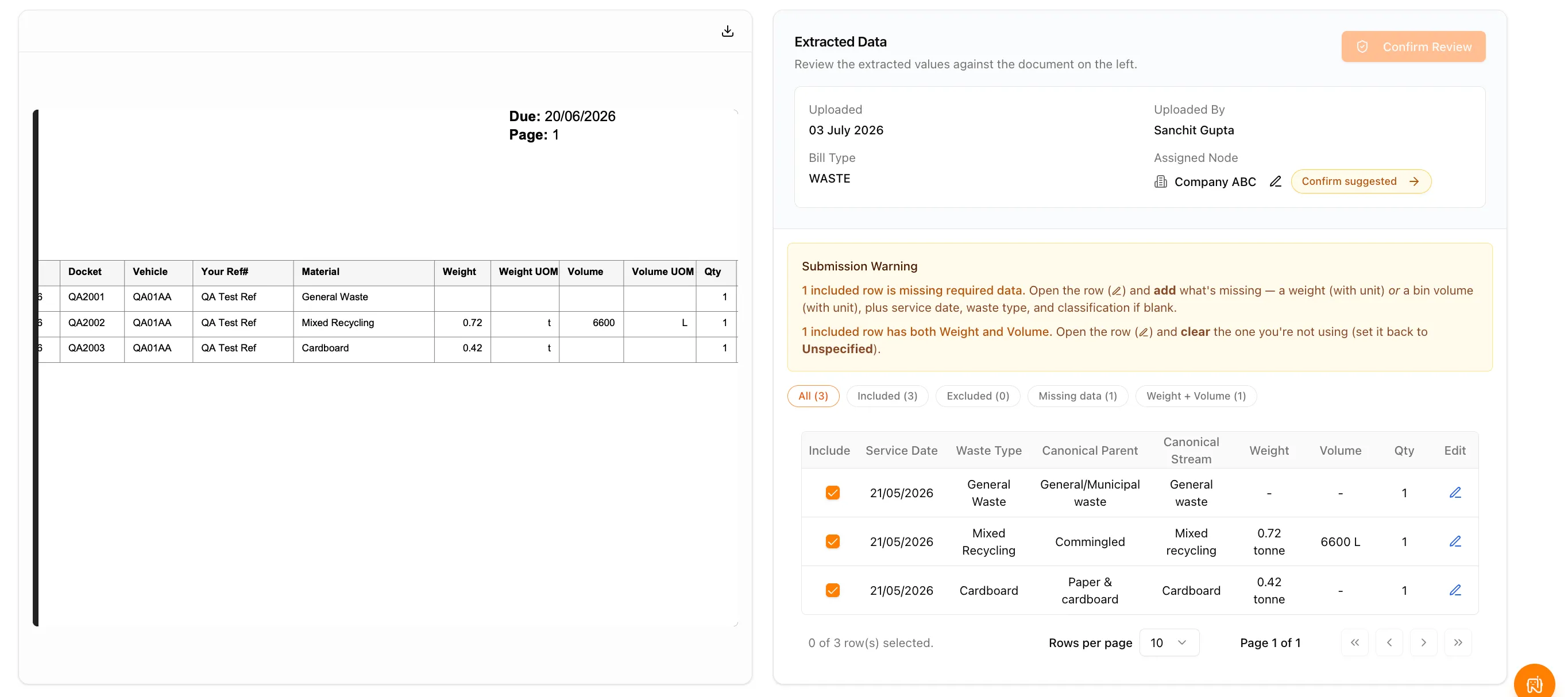
We’ve simplified the waste review workspace by replacing stacked, overlapping alerts with single actionable messages.
- Focused prompts — banners communicate one primary action at a time
- Explanatory guidance — the app spells out the fix explicitly, such as adding a weight or volume, or clearing the field you aren’t using
- Problem grouping — issues are categorised into views like “Missing data” and “Weight + Volume” so you can resolve several rows in a row
Automated Electricity Renewable Detection
NetNada now identifies clean power on your energy bills and adjusts market-based performance without manual input.
- Clean power recognition — GreenPower allocations, green utility tiers and behind-the-meter solar power purchase agreements are read and credited automatically
- Audit defence — renewable volumes are written straight to the audit history, removing a manual entry step
- Smart filtering — genuine renewable usage is distinguished from financial credits such as solar feed-in exports or mandatory certificate charges
Expanded Combustion Modelling
We’ve extended calculation coverage for cases where detailed activity data isn’t available.
- Scope 1 spend-based estimates — mobile and stationary combustion can now be estimated from spend when fuel volumes are unavailable
- Unified combustion engine — all Scope 1 fuels pass through a single tested calculation core that matches well-to-tank variables using the same methodology as Scope 2, drawing on vehicle classifications for closer matches
- White-label deployment — a fully branded partner instance is live for See Carbon Zero
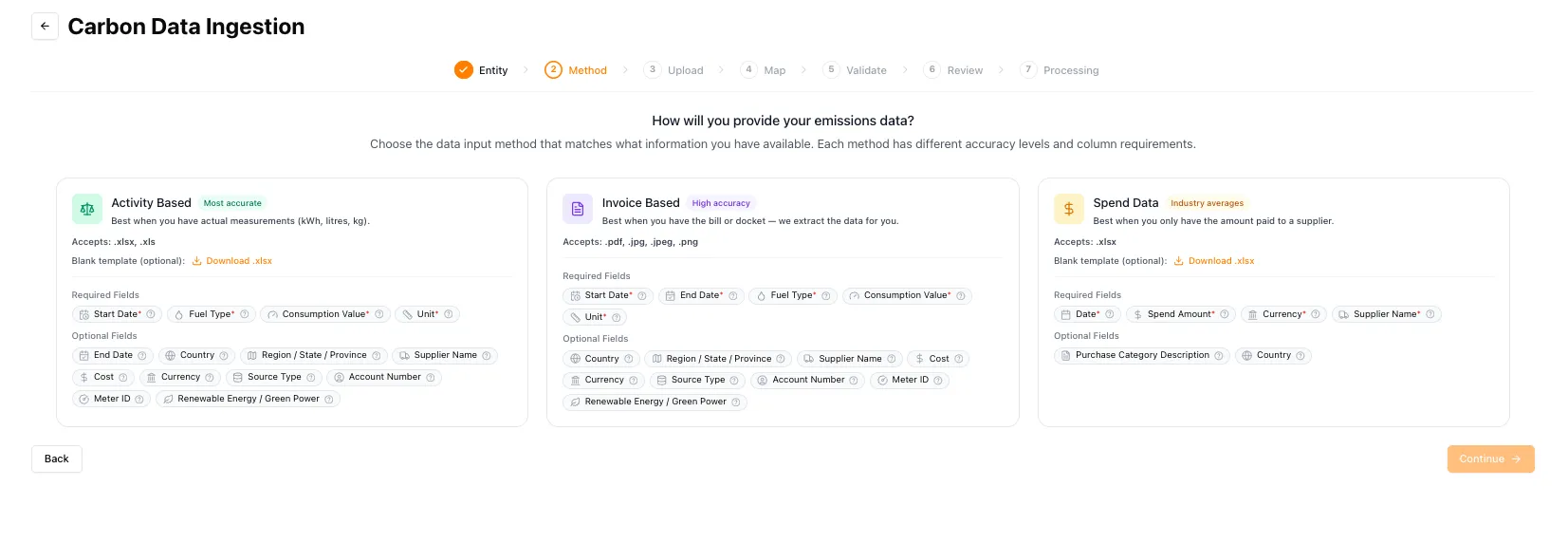
The ingestion flow makes the trade-off explicit at the point of choosing a method: activity data remains the most accurate path, invoices sit in the middle, and spend data is available as an industry-average fallback.
Forgiving Uploads & Table Enhancements
Data uploads are now much harder to break, so simple layout quirks don’t halt your progress.
What's new
- Resilient ingestion — hidden formulas, summary rows and empty optional columns no longer break a file; valid lines calculate and incomplete rows are saved for follow-up
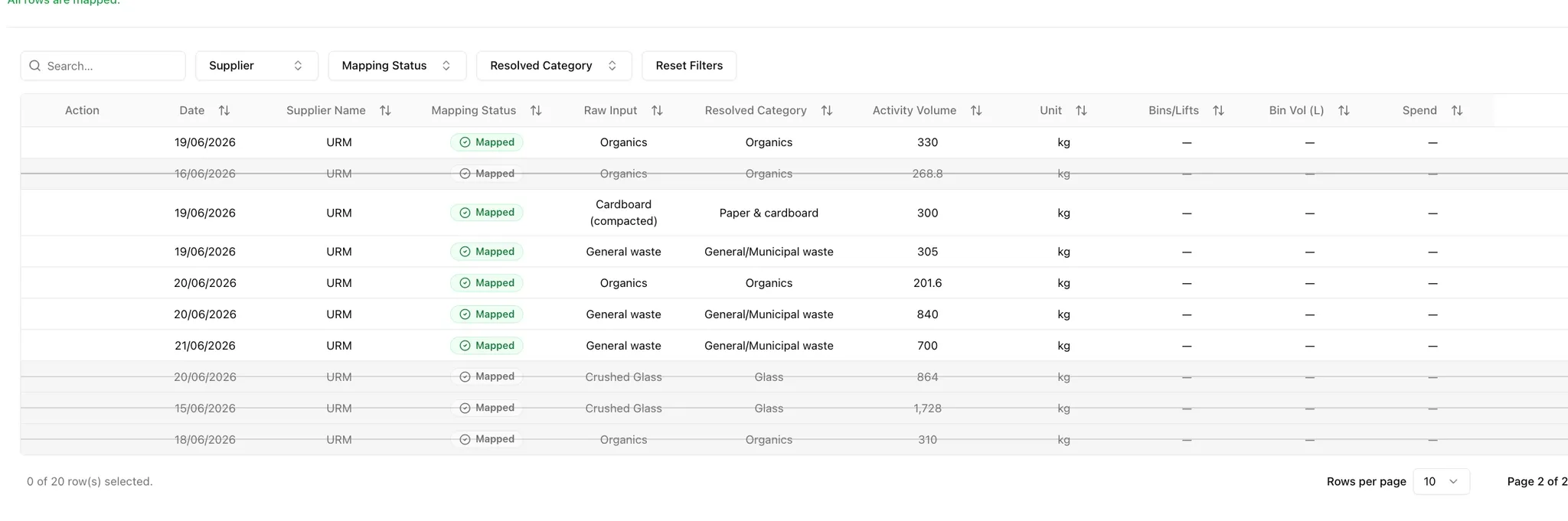
- Visual deletion context — deleting a ledger line drops its raw data stream while keeping the row visible with strikethrough styling, preserving the paper trail
- Click-to-inspect rows — select any row in a file table to see its underlying raw records or its validation and calculation issues
- Multi-file export downloads — select several files from the repository and download them together
- Grouped diagnostic overviews — long warning lists are consolidated by problem type
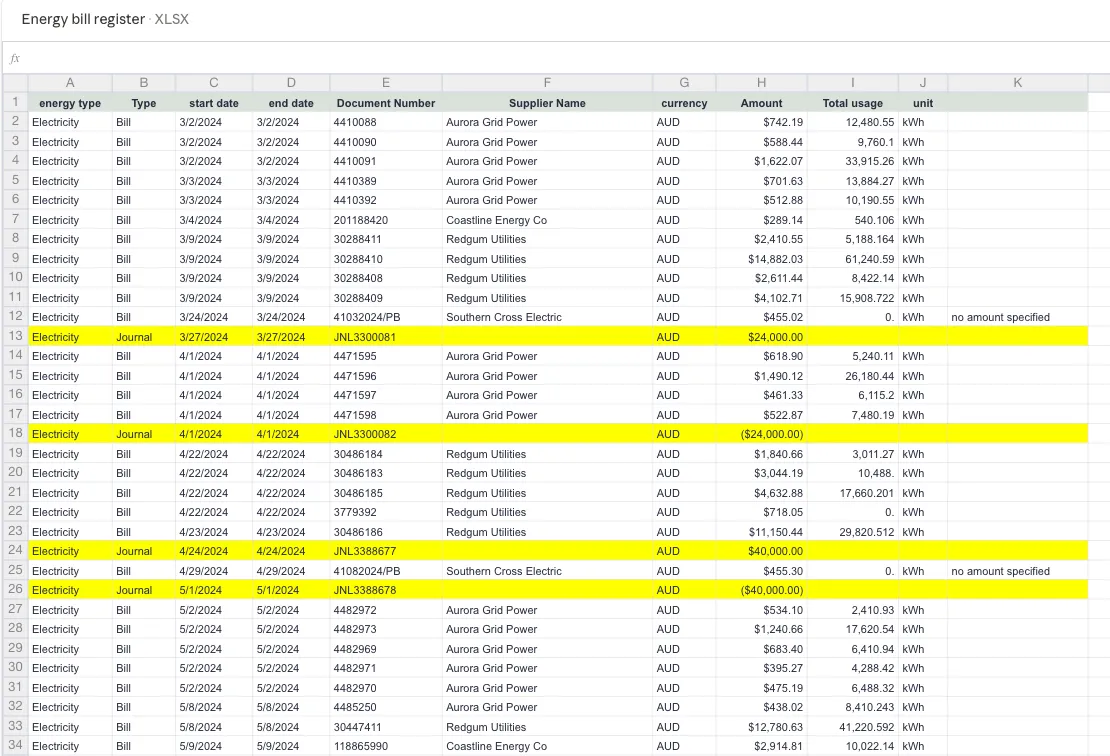
Spreadsheets that mix real bills with journal entries and summary rows now import cleanly instead of failing outright.
Deleted rows stay visible under strikethrough styling, so the record of what was removed survives for audit.
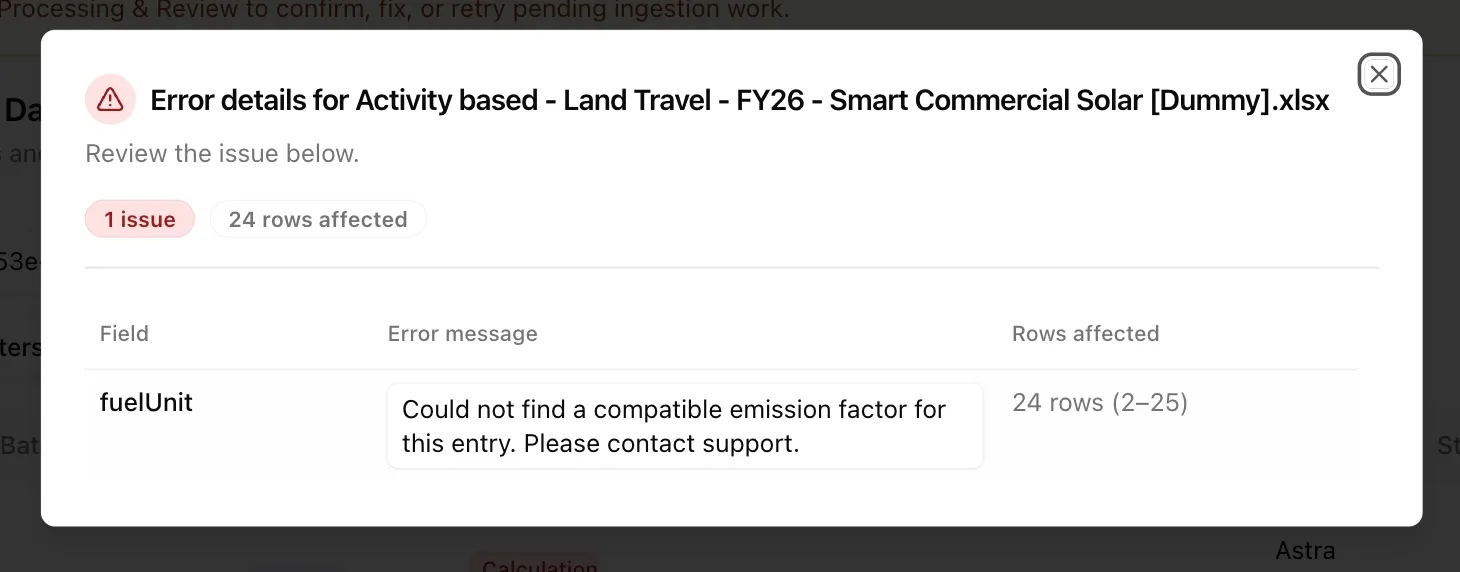
Where a single underlying problem affects many rows, the diagnostic now reports it once with the affected range rather than repeating itself.
Platform Enhancements & Fixes
Core calculation updates and bug resolutions for a smoother experience:
- Route-aware grease traps — grease trap waste emission factors now adapt to a tenant’s routing configuration, sending volumes to recycling or landfill pathways and selecting the matching custom emission factor accordingly
- Climatiq engine core v1.3 — upgraded to the latest engine endpoint, adding clearer notes across the audit dashboard
- Data formatting — currency characters entered in text boxes are handled safely across manual data entry
- Resolved — decimal rounding in audit sheets, an occasional 404 on the Scope 2 energy page, and batch logic when adjusting files within a folder
If you notice anything unexpected post-release, please share the tenant/org, page URL, steps to reproduce, and a screenshot if possible.
Making this planet better, one sprint at a time. 🌏
Want to see these features in action? Book a demo today.
Start Your Climate Reporting Journey
Join 1,000+ Australian businesses using NetNada for carbon accounting and sustainability reporting.