NetNada - April 22 2026 Product Release




This sprint introduces major improvements across multi-node workflows, AASB report extraction, and a few important platform fixes behind the scenes. The focus this cycle has been on reducing repetitive work, improving review flows, and making data collection feel faster and more scalable.
Release window: 23.04.2026 · Environments: Production
Multi-Node Workflows Are Here
We’ve introduced multi-node workflows to make it much easier to manage data across multiple sites, facilities, or business units in one place.
Instead of handling each node one at a time, you can now work across multiple nodes in a single workflow. That means less repetitive setup, fewer duplicate uploads, and a faster path from raw data to reviewed, ready-to-submit records.
What's new
- Upload invoice files in named batches without assigning every file to a node up front
- Let NetNada process files in the background, extract key invoice data with AI, and suggest a node match where possible
- Review each file individually, confirm or correct node assignment, retry failed files, and submit only the files that are ready
- Track live progress from the home page and see file-by-file status more clearly in the File Table and review flow
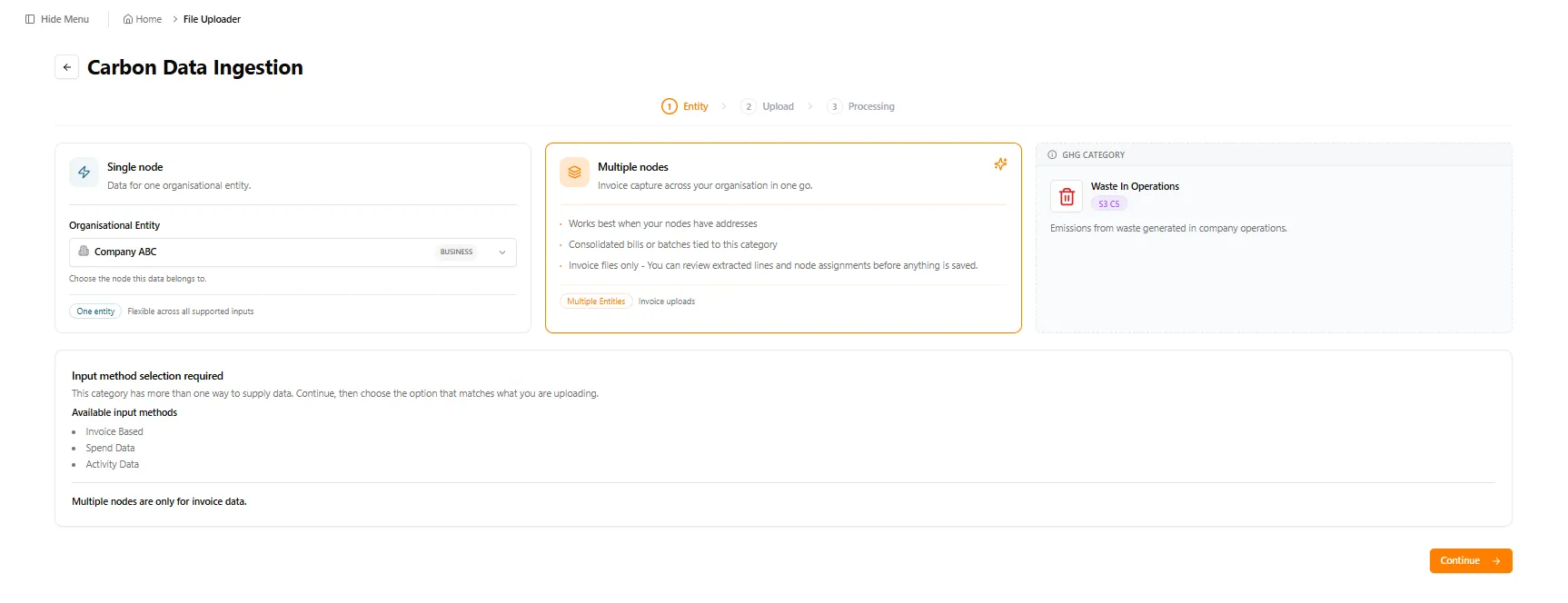
Start in the Carbon Data Ingestion flow by choosing the Multiple nodes input method — designed for invoice files where extracted addresses can be matched to nodes automatically.
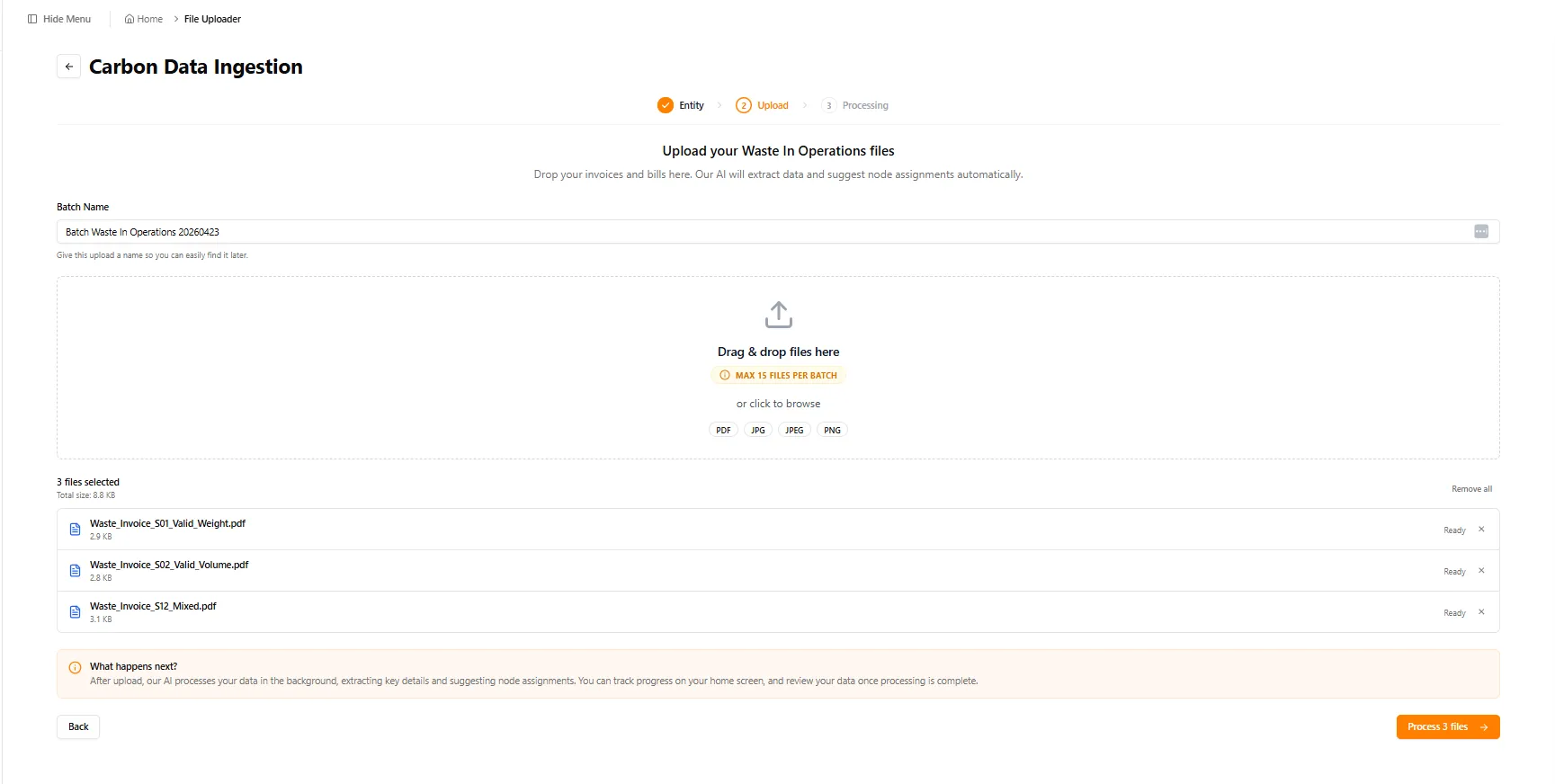
Upload your invoices as a named batch. You can drop up to 15 files at a time and give the batch a name so you can find it later.
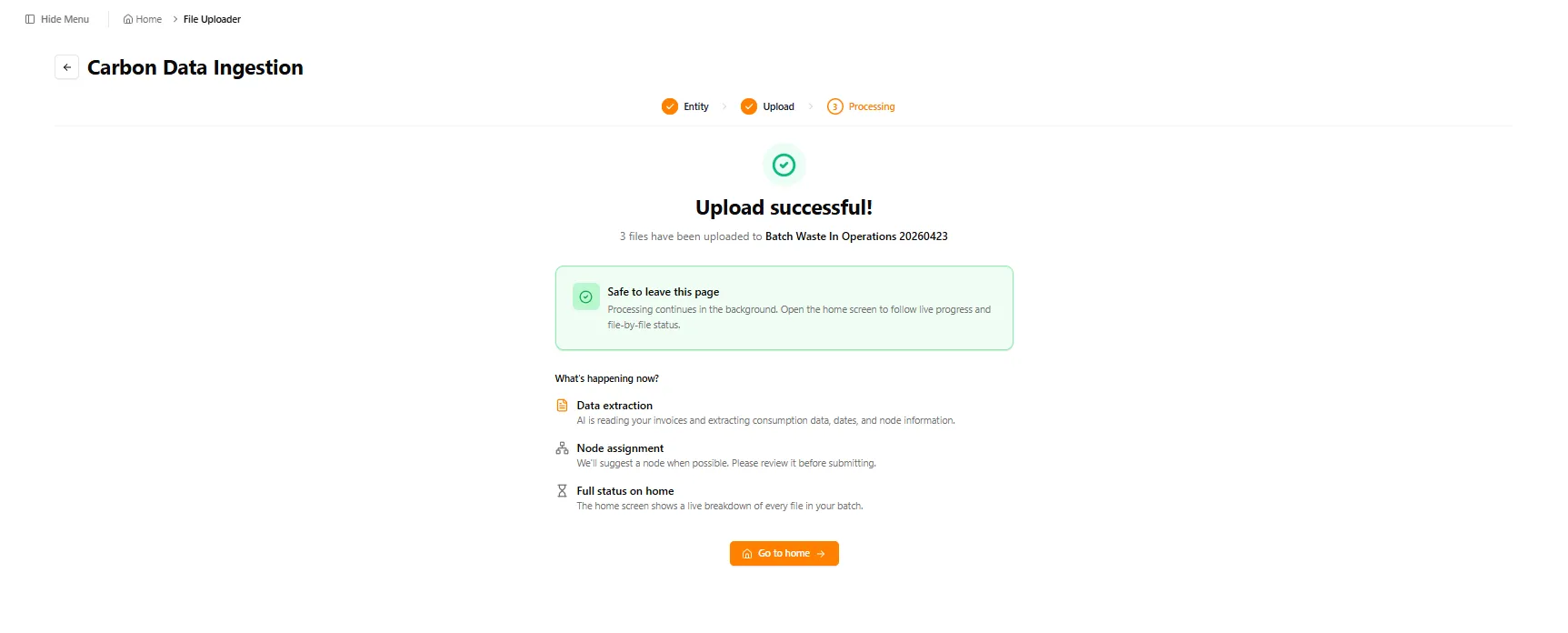
Once submitted, you’re free to leave the page. Processing continues in the background, and the home screen shows live file-by-file status.
The Processing & Review queue gives you a clear view of every active batch — ready files, files that need attention, and overall progress percentage.
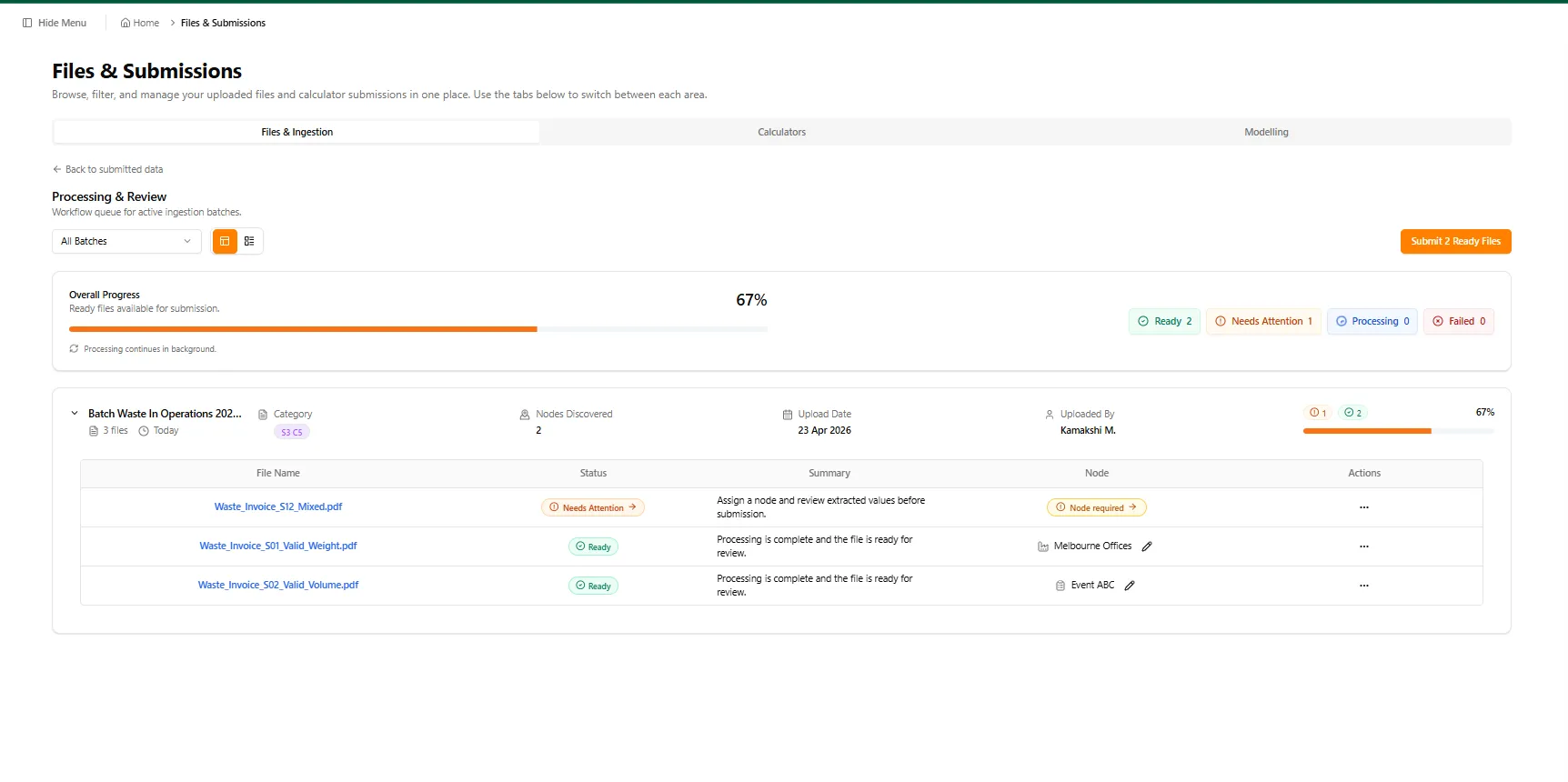
Each file shows the AI-suggested node, the category, and any issues to resolve. You can correct node assignments inline before submitting.
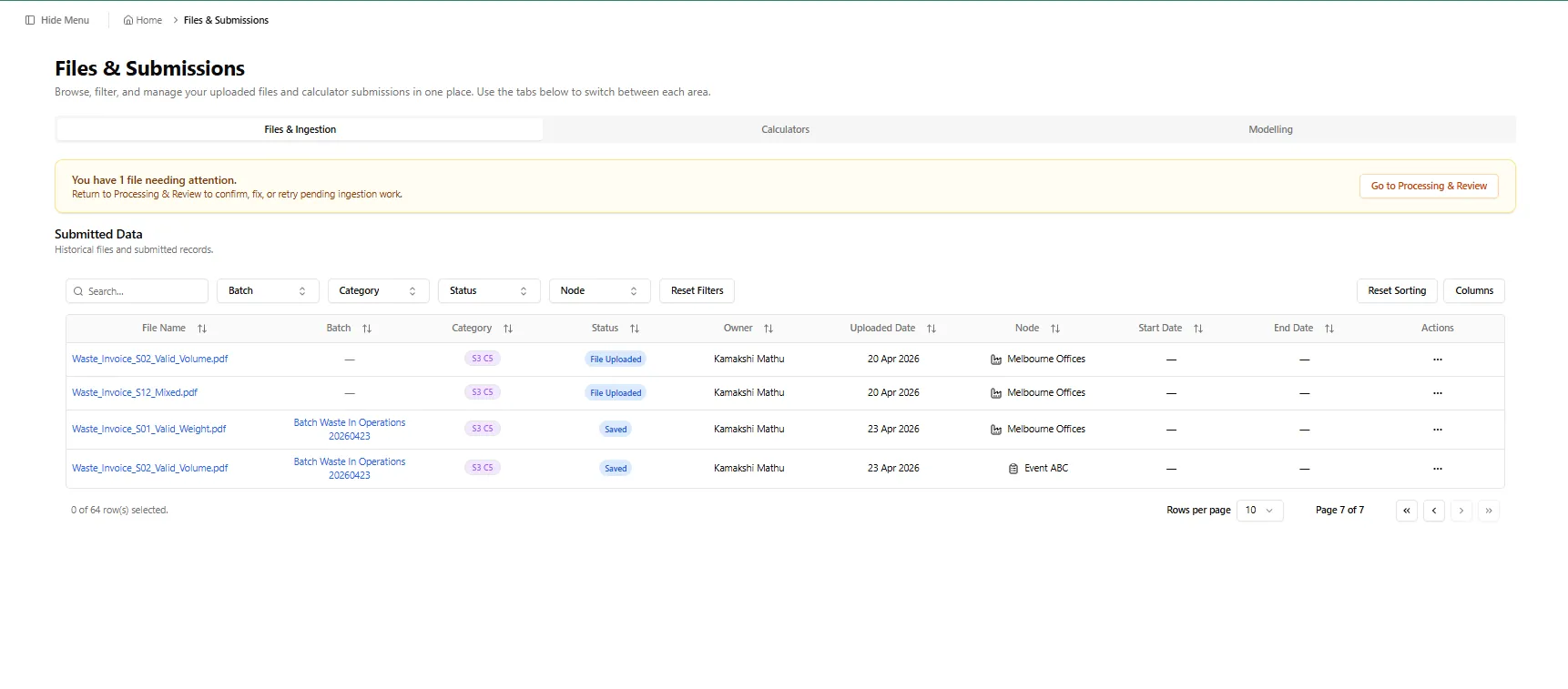
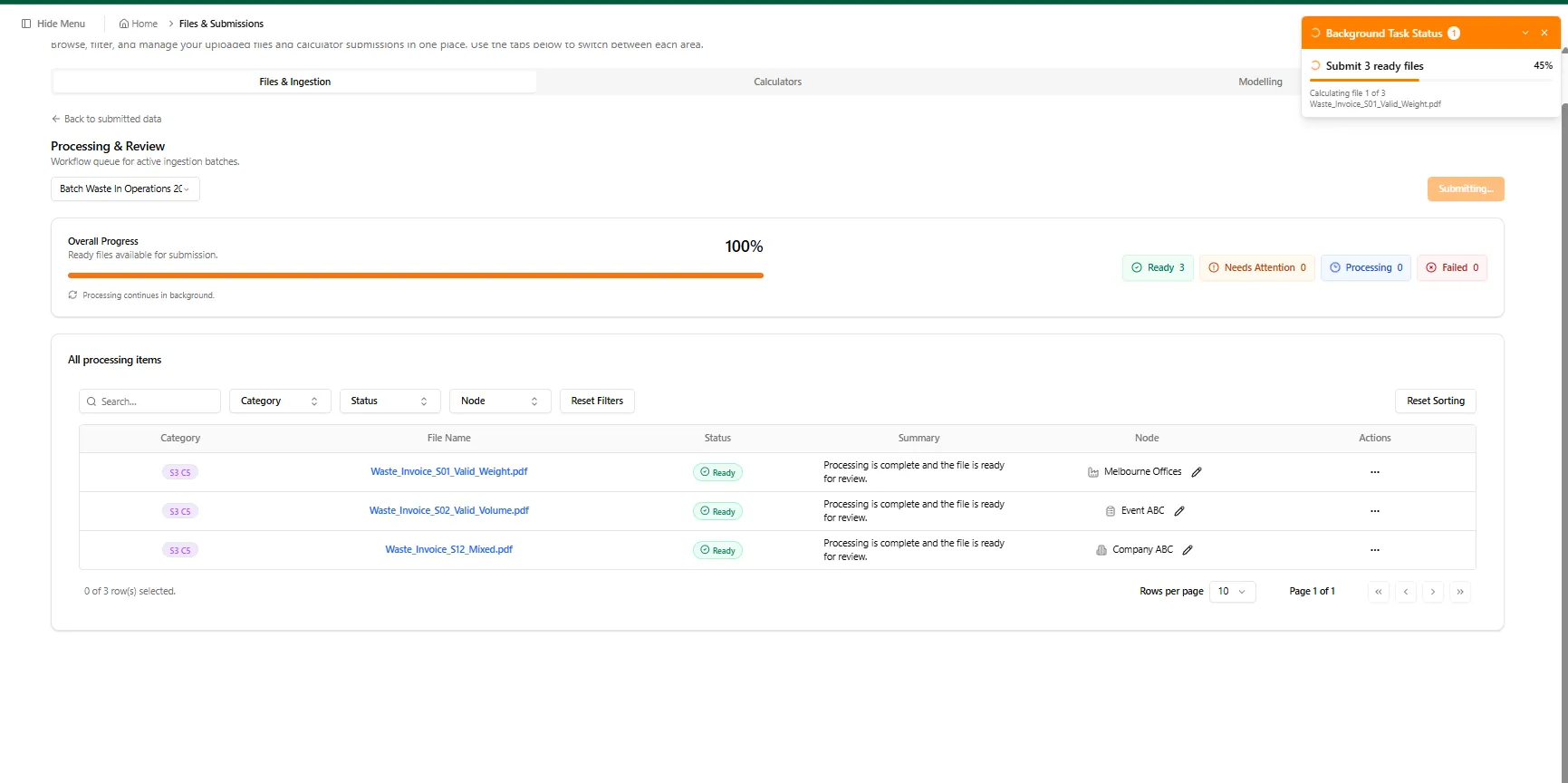
When you hit Submit, ready files move through in the background while you continue working elsewhere on the platform.
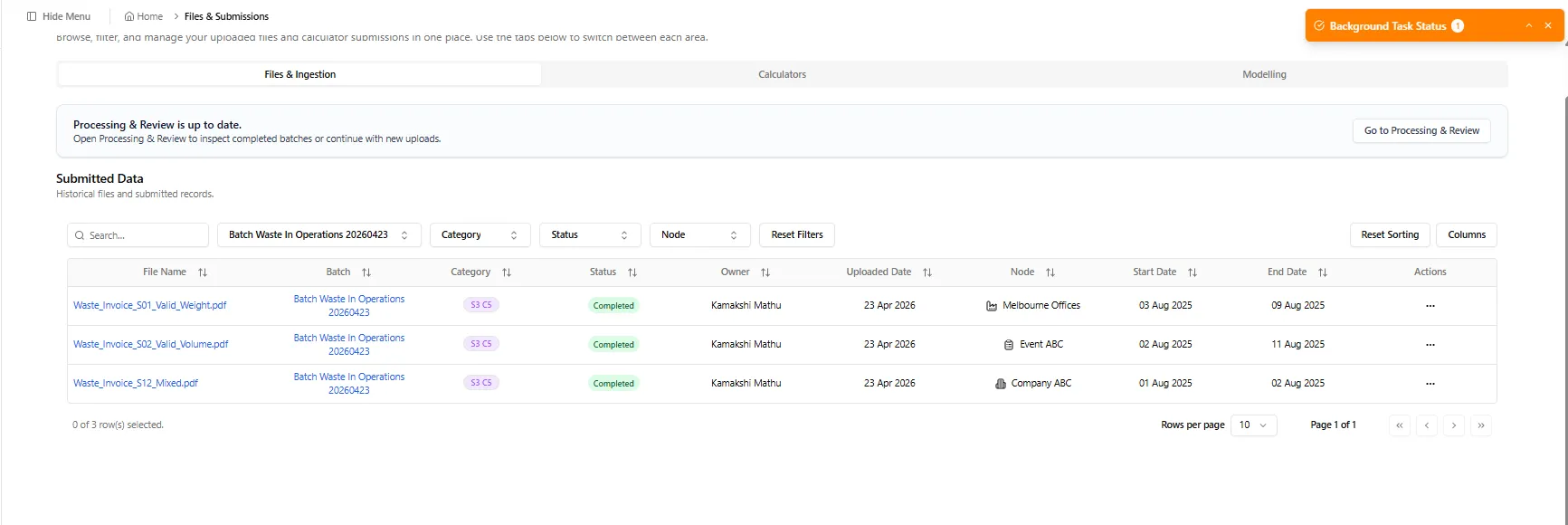
Once submitted, every file lands in Submitted Data with its node, batch reference, and reporting period — ready to flow into your emissions calculations.
In short: multi-node gives you a more scalable way to upload, review, and manage emissions data across your organisation.
AASB Report Extraction with AI
We’ve started building a dedicated experience for extracting structured information from AASB reports using AI-assisted analysis. This is an early step toward making report-based ingestion more structured, repeatable, and easier to work with.
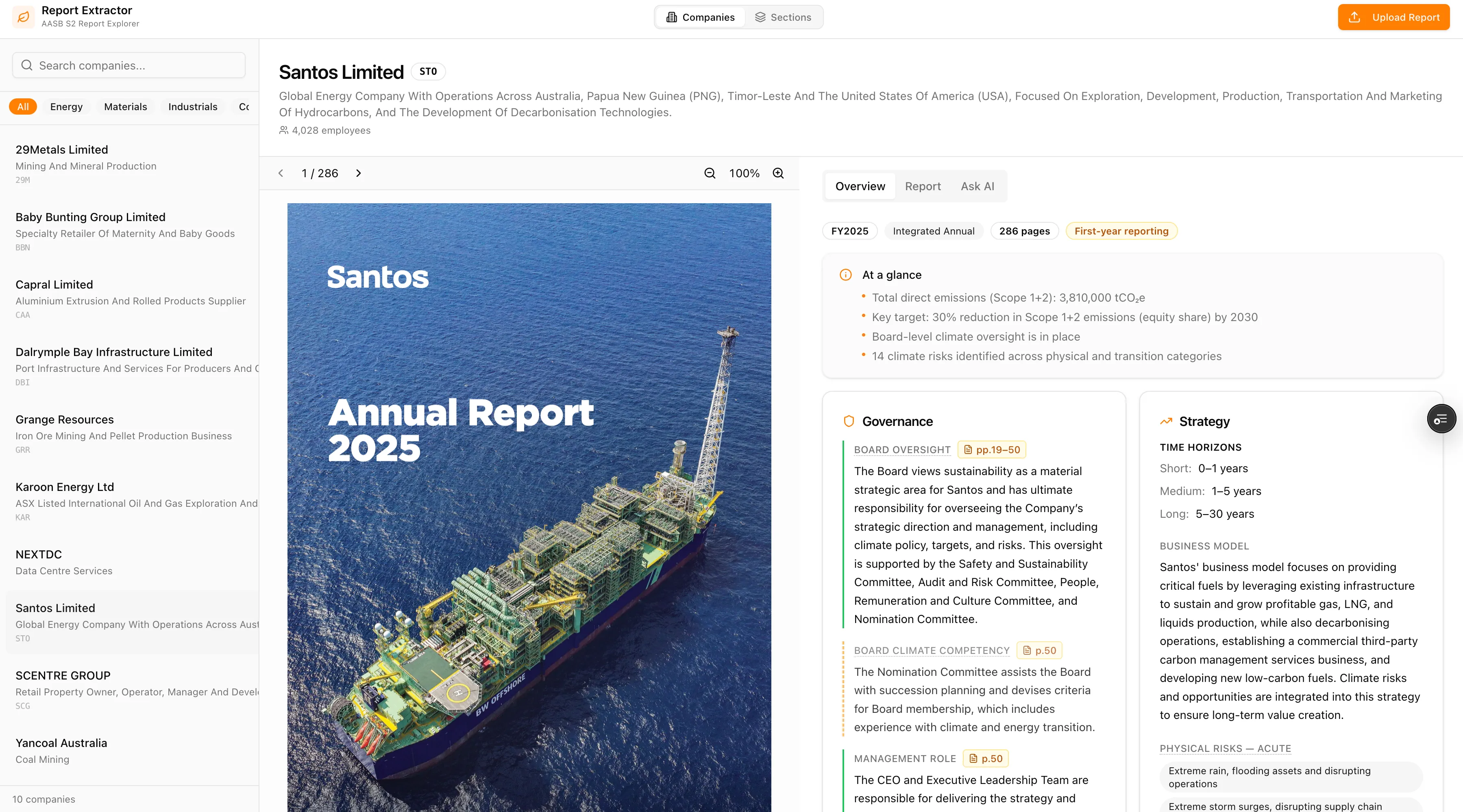
The extractor pulls key fields straight from uploaded reports — emissions totals, governance signals, strategy snapshots — and surfaces them in a review-friendly UI so you can verify before anything flows into your records.
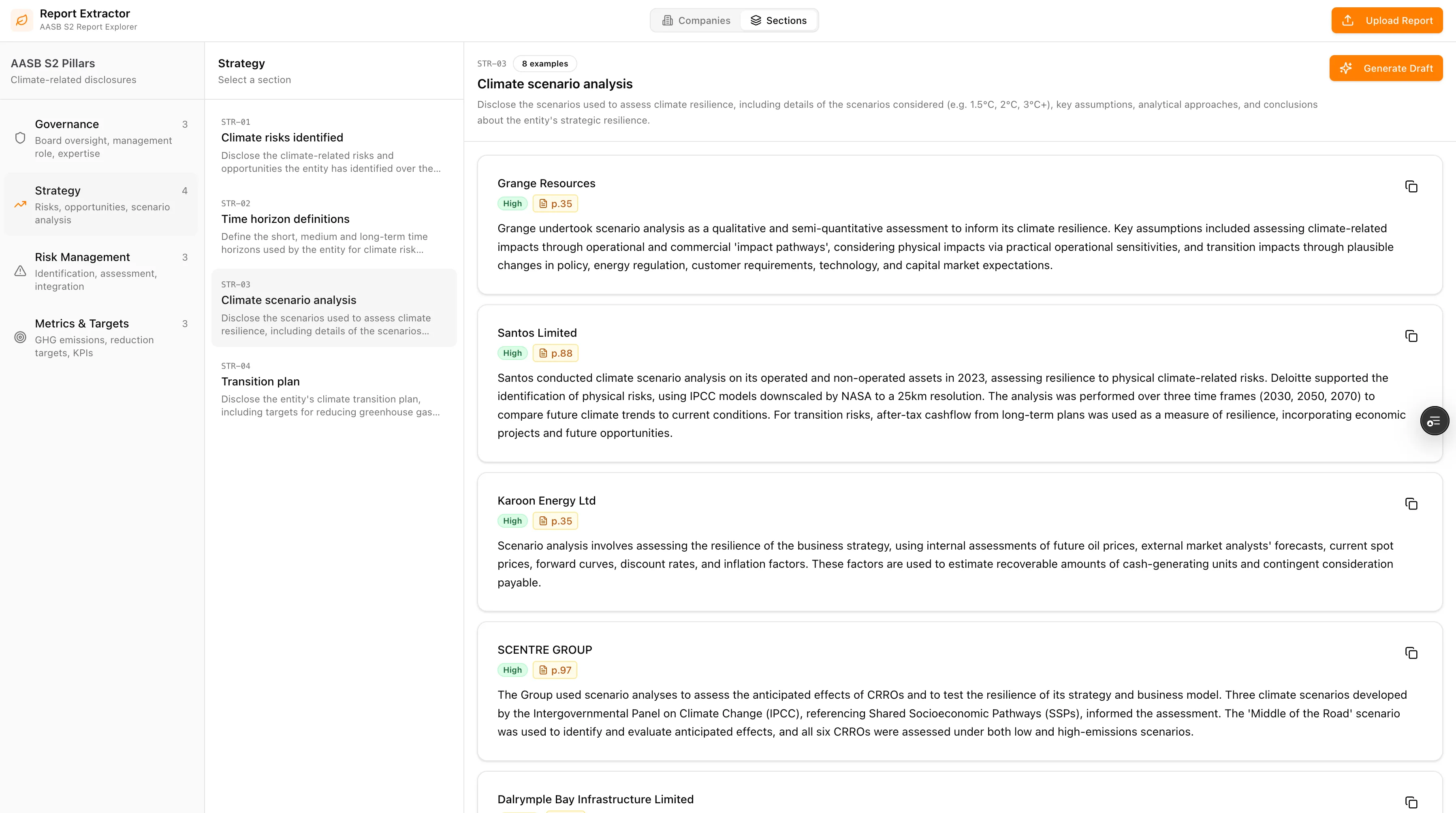
Highlights
- Analysed AASB reports and designed a prompt that extracts the key fields derived from report analysis
- Created an initial UI for the extracted information to land and be reviewed
- Hosted the feature as its own experience to support future iteration
- Improved the UI and added chatbot capabilities around the flow
Under the Hood
We also fixed several issues that were causing friction:
- Duplicate Purchased Electricity card in the Scope 2 Data Uploader has been removed
- You can now bulk select records and change emission factors, and also filter by Emission Factor Source Name
- Nettie no longer repeats greeting-style messages during ongoing conversations
Note: AI Search filter improvements are still in progress.
If you notice anything unexpected post-release, please share the tenant/org, page URL, steps to reproduce, and a screenshot if possible.
Making this planet better, one sprint at a time.
Want to see these features in action? Book a demo today.
Start Your Climate Reporting Journey
Join 1,000+ Australian businesses using NetNada for carbon accounting and sustainability reporting.