NetNada - May 5 2026 Product Release




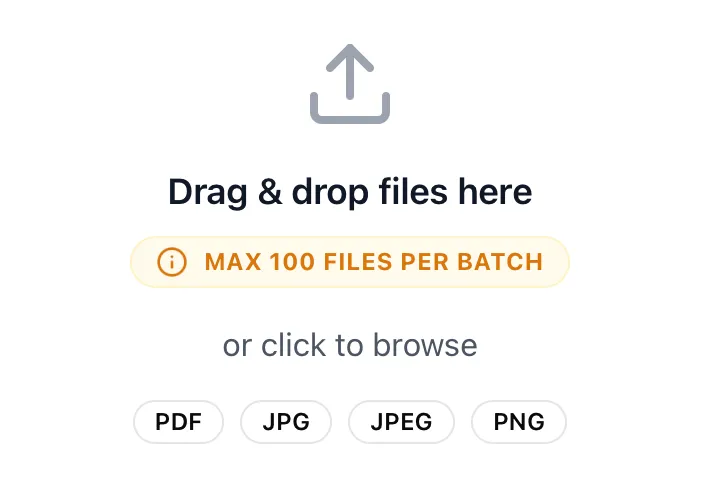
This sprint is packed with major quality-of-life improvements designed to make uploading, filtering, and correcting data smoother than ever. We’ve heavily upgraded our bulk selection logic, expanded multi-file upload limits, and introduced a completely new way to fix unmapped data directly within the app without needing to re-upload files.
Behind the scenes, we’ve also been doing some serious housekeeping: rolling out a new CLAUDE.md framework, moving most calculations to a parallel server to avoid app crashes, migrating Nettie to the new audit ledger, and tightening up our AI extraction for electricity invoices.
Release window: April 22 – May 5 2026 · Environments: Production
Node Table Bulk Selection Now Respects Filters
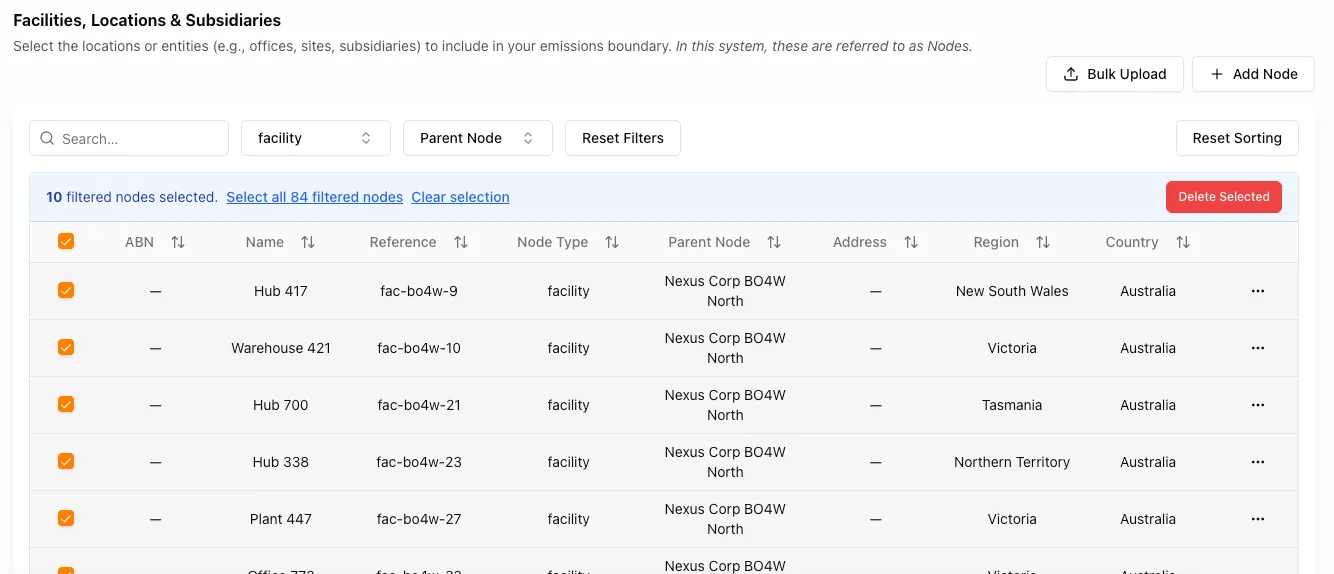
The Node Table bulk selection logic now respects the active filtered dataset instead of the total global node count. No more accidentally selecting nodes outside the filter you’re working in.
Changes made
- "Select all" now uses the filtered row count returned by the current query/filter state
- First-page selection only applies to the visible filtered rows
- Bulk selection messaging and labels correctly display the filtered total count
- Unfiltered/global nodes can no longer be included while filters are active
For example, if a facility filter returns 84 nodes, the UI now offers selection for all 84 filtered nodes instead of the total node count across the system.
Column Mapper UI Improvements
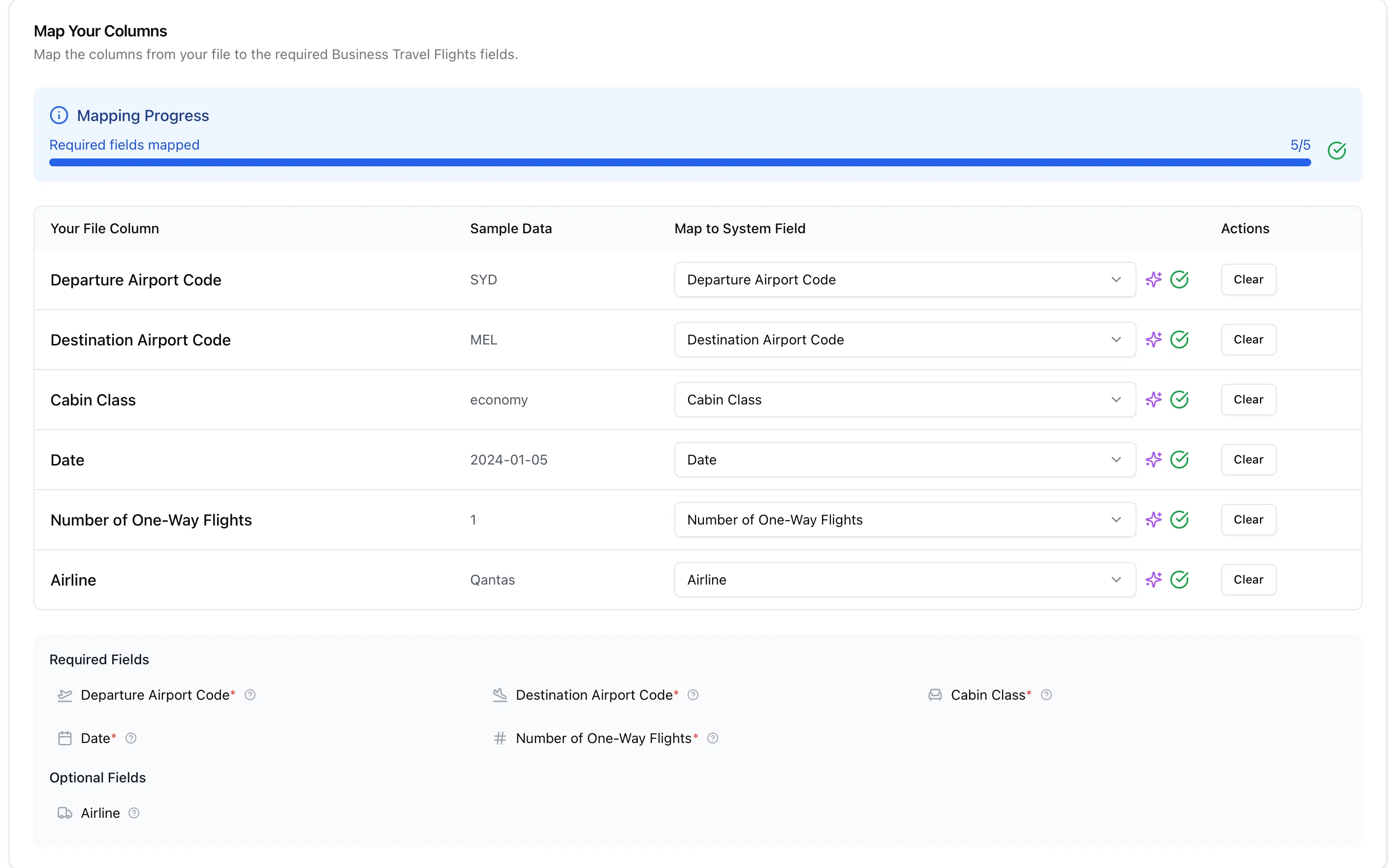
We’ve introduced a cleaner layout with better validation of user decisions before they commit. Required fields are clearly marked, mapping progress is visible at a glance, and AI suggestions are surfaced alongside each column to speed up the right call.
Multi-Node Bulk Upload: 15 → 100 Files
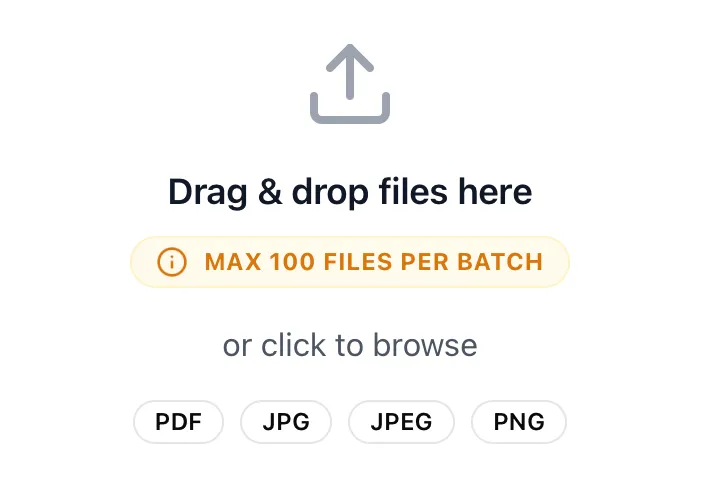
Following on from last sprint’s multi-node workflow launch, you can now upload up to 100 files per bulk session — a massive jump from the previous limit of 15. Less batching, more progress.
Carbon Data Ingestion: Clearer Date Handling
We’ve improved the Carbon Data Ingestion experience to make date handling during file uploads clearer and more reliable.
- Users are now guided through date format selection during mapping
- During validation, you can see exactly how the system is interpreting sample date values from your file before moving forward
This is especially helpful for ambiguous formats — 05/06/2025 could mean 5 June or May 6 depending on locale. The platform now reads a sample, shows you both interpretations, and lets you pick before the import runs.
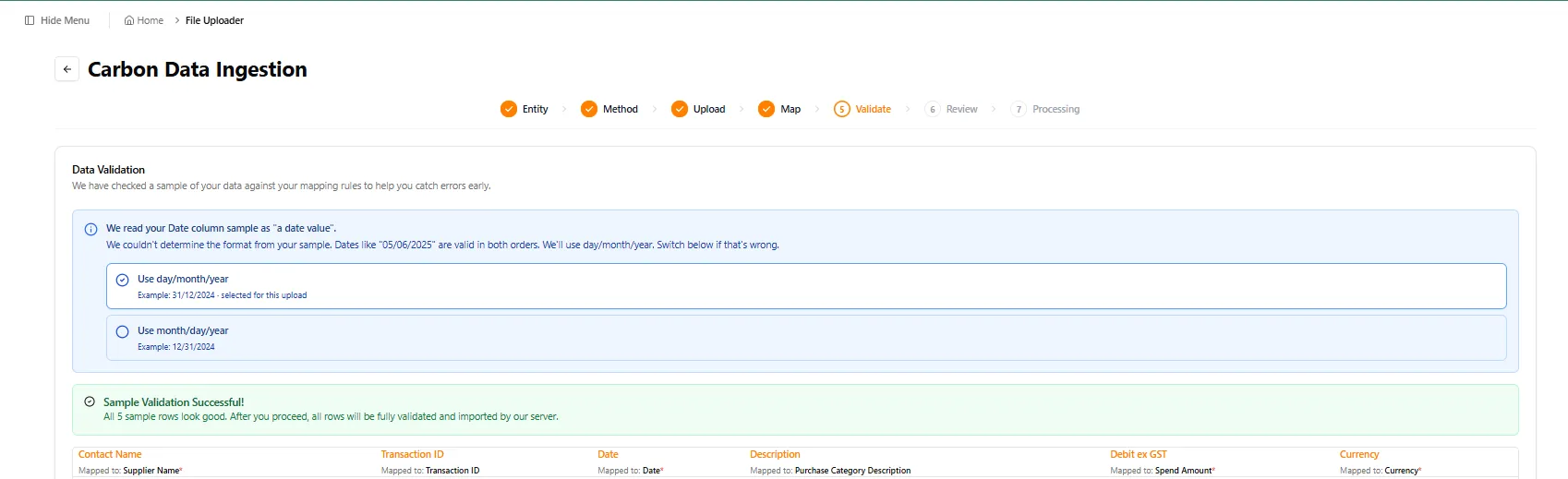
The result is a smoother upload journey, fewer avoidable validation issues, and greater confidence that uploaded data is being interpreted correctly before import.
Electricity Invoice OCR fix: extraction was slightly off on purchased electricity invoices. We tightened the AI prompt and it is behaving perfectly now.
Fix Unmapped Data Without Re-Uploading
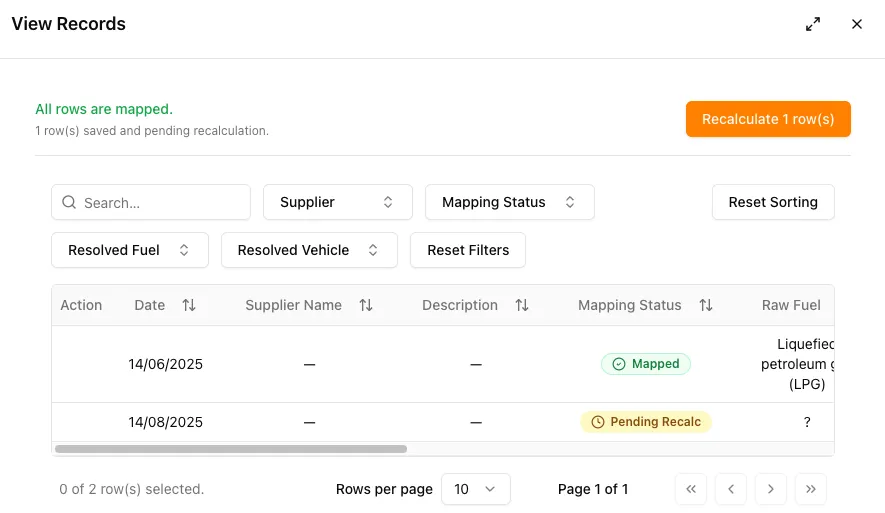
When you upload a file and some rows can’t be matched to a known category (like a typo or unfamiliar fuel type), you no longer need to delete and re-upload the whole file.
Just open the file’s records, click Resolve on any flagged row, pick the correct value from a dropdown, and click Recalculate. The system updates only the rows you fixed and clears the file’s “Action Required” status automatically.
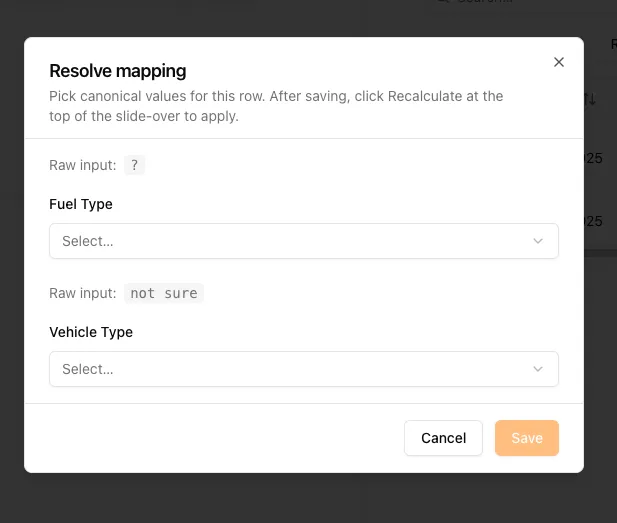
Once every row is mapped, hit Recalculate and the file moves on without any re-upload.
Housekeeping, Taxonomy & AI Rollouts
A lot of work this sprint went into the platform’s foundations:
- Legacy Type fields (Waste): as part of the taxonomy resolution work, we tidied up the legacy fields and cut redundancy in the database
- CLAUDE.md system rollout: brought in a completely new CLAUDE files setup — we’ll be testing it across the next few sprints to see how Claude performs with the new context and rules
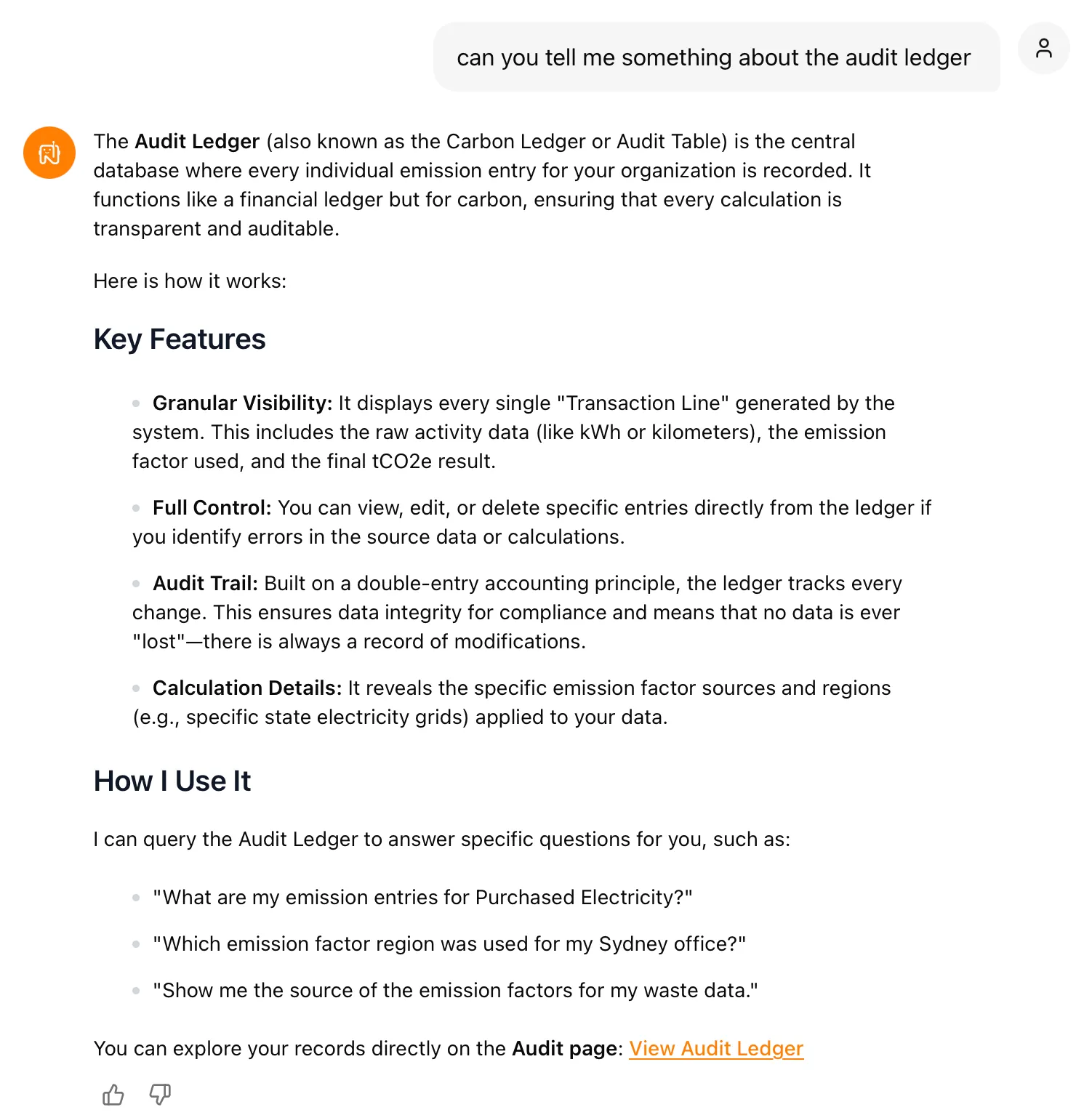
- Audit Ledger migration (Nettie): we pulled out the old v1 audit table tooling and successfully pointed Nettie at the new audit ledger
- Parallel calculation server: most calculation workloads now run on a parallel server to avoid app crashes during heavy jobs
Nettie can now answer questions directly against the new ledger — granular line-by-line visibility, full audit trail, and a single source of truth for emission factors and tCO₂e results.
If you notice anything unexpected post-release, please share the tenant/org, page URL, steps to reproduce, and a screenshot if possible.
Making this planet better, one sprint at a time.
Want to see these features in action? Book a demo today.
Start Your Climate Reporting Journey
Join 1,000+ Australian businesses using NetNada for carbon accounting and sustainability reporting.