NetNada - June 5 2026 Product Release




This sprint brings a wide set of improvements across supplier engagement, audit transparency, calculation accuracy, file workflows, and node management. The focus this cycle has been on making data collection easier, calculations more transparent, and day-to-day workflows more reliable.
Release window: June 5 2026 · Environments: Production
Supply Chain Module — A Major Step Forward
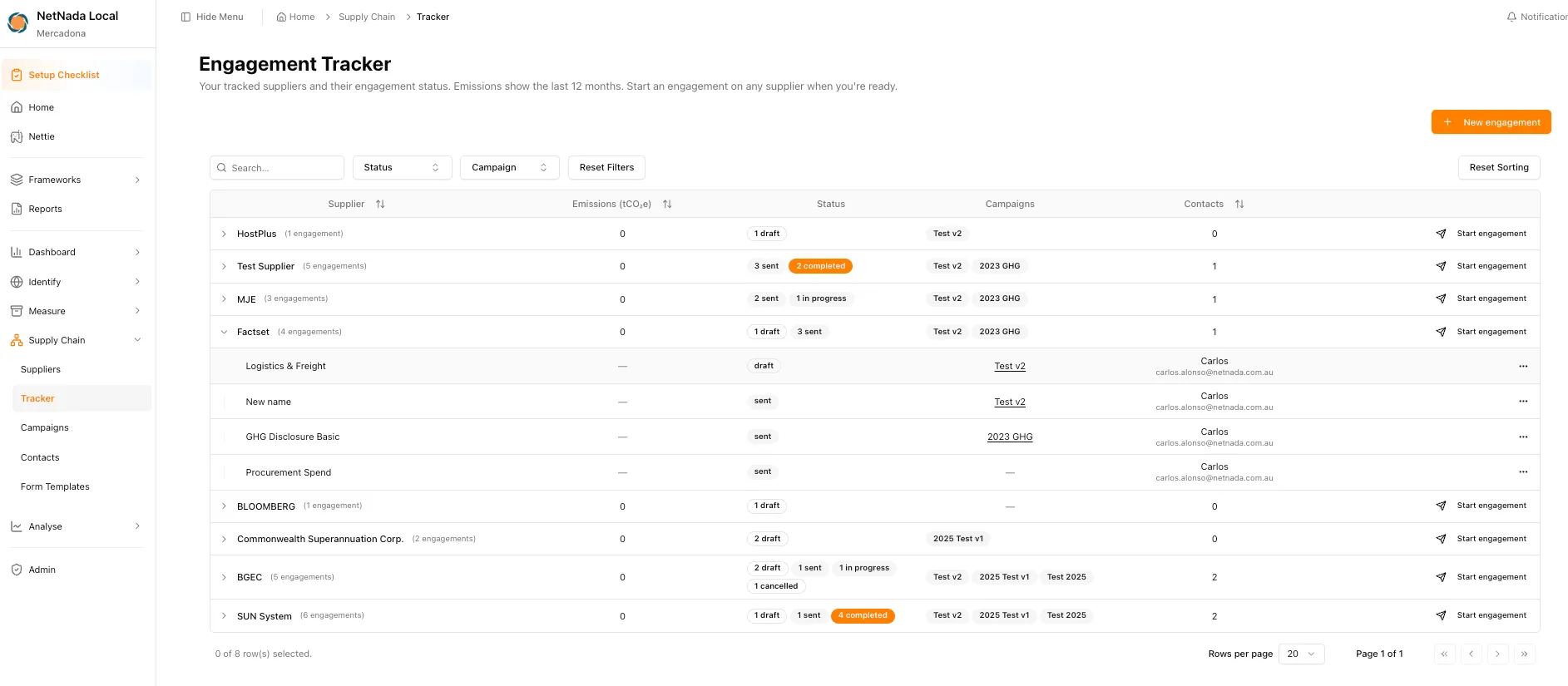
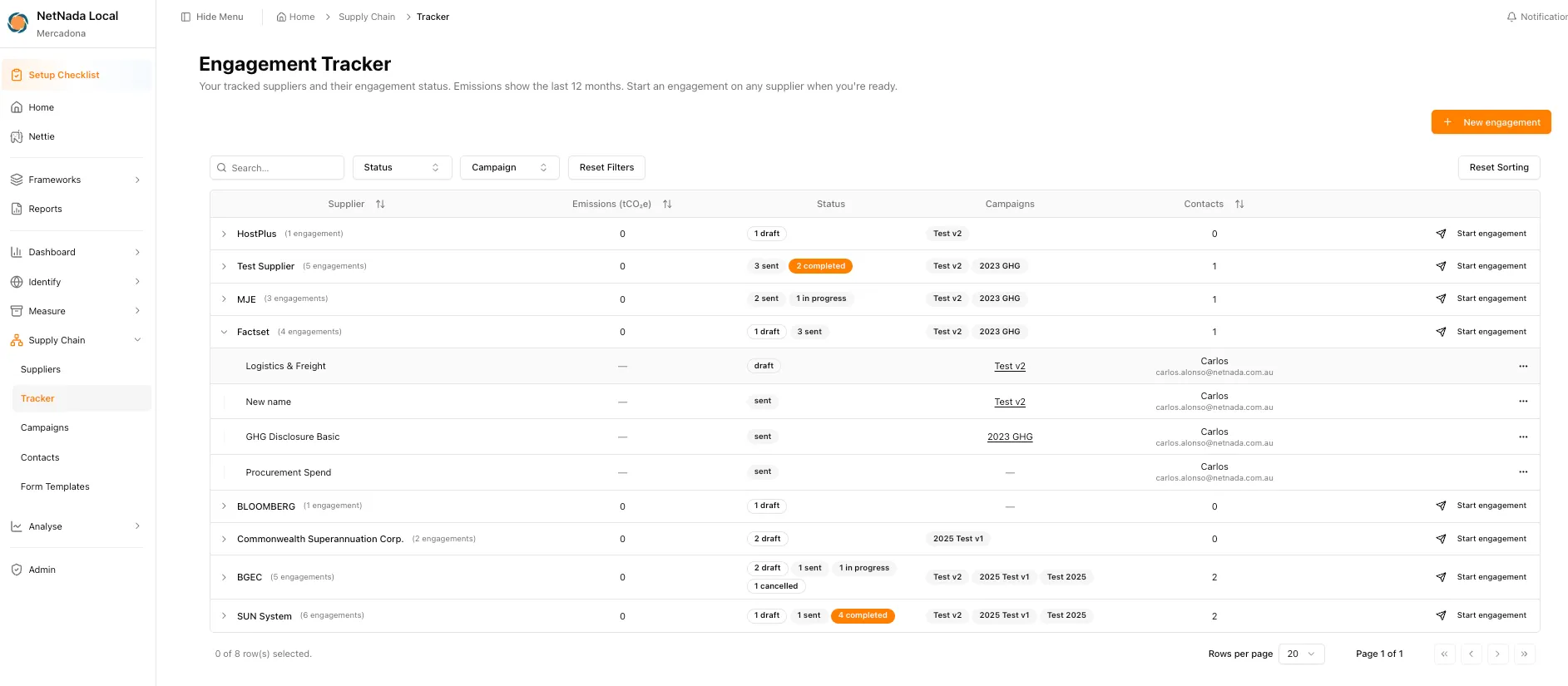
The Supply Chain module has received a major update and is starting to feel like an app of its own. The Suppliers table now lets you add suppliers to a tracker for engagement. From there, the Tracker gives you visibility across every supplier and their engagement status, while Campaigns let engagements be grouped with their own dashboards and stats.
What's new
- Add suppliers directly to a tracker to manage engagement
- View every supplier and their engagement status in one place
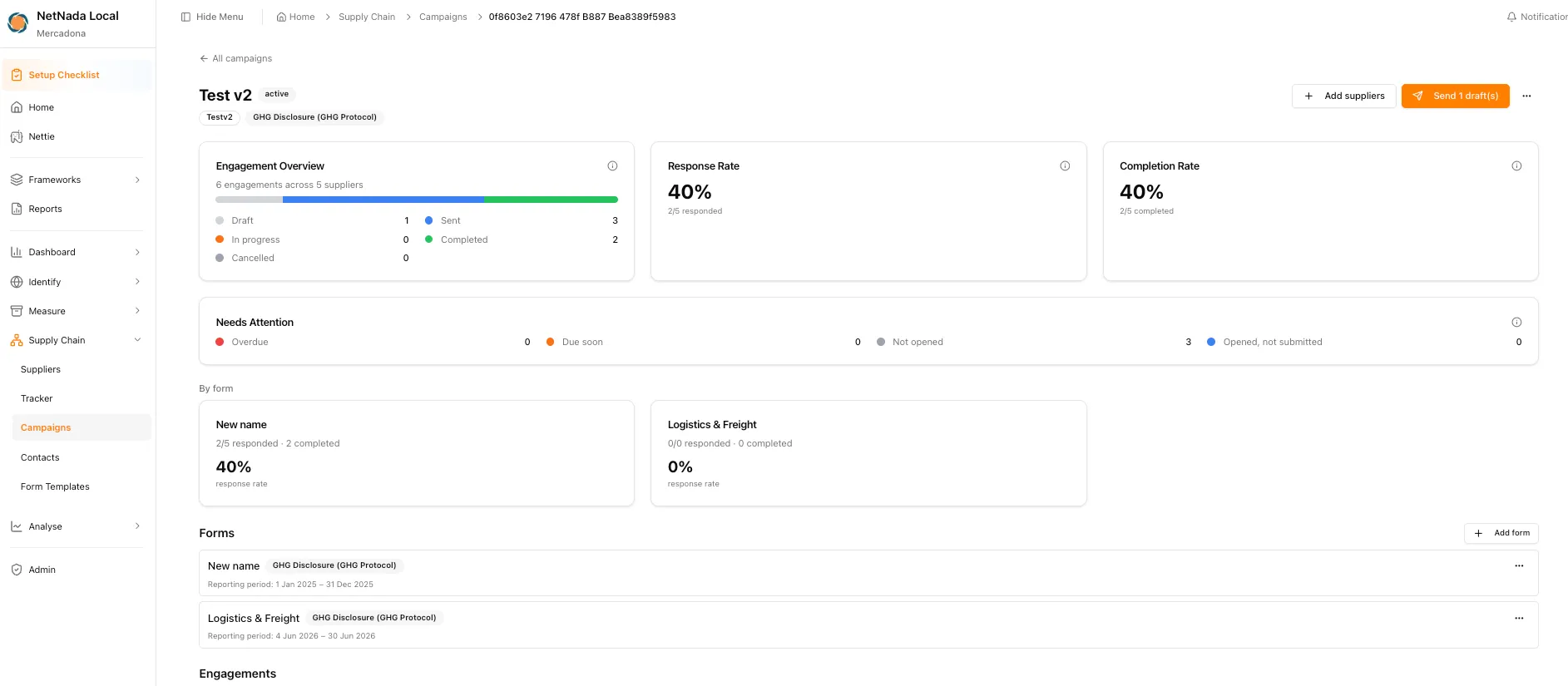
- Group supplier engagements into Campaigns, each with its own dashboard and stats
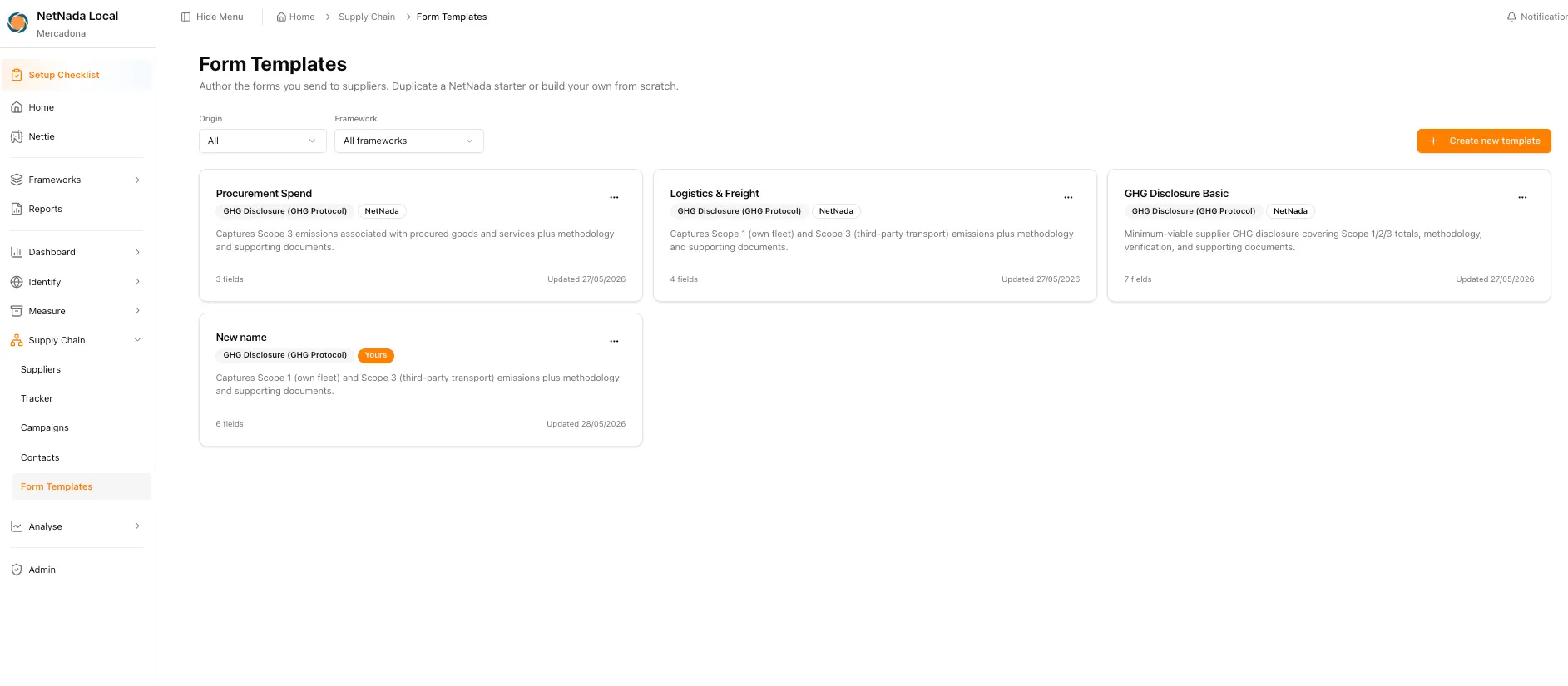
- Use NetNada's forms or create your own custom forms
- Manage supplier focal points and emails through the Contacts area
- Designed around the upcoming Global Supplier Directory
The Tracker brings every tracked supplier and their engagement status into a single view, so you can start an engagement on any supplier the moment you’re ready.
Campaigns group related engagements together and give each one its own dashboard — engagement overview, response rate, completion rate, and a per-form breakdown.
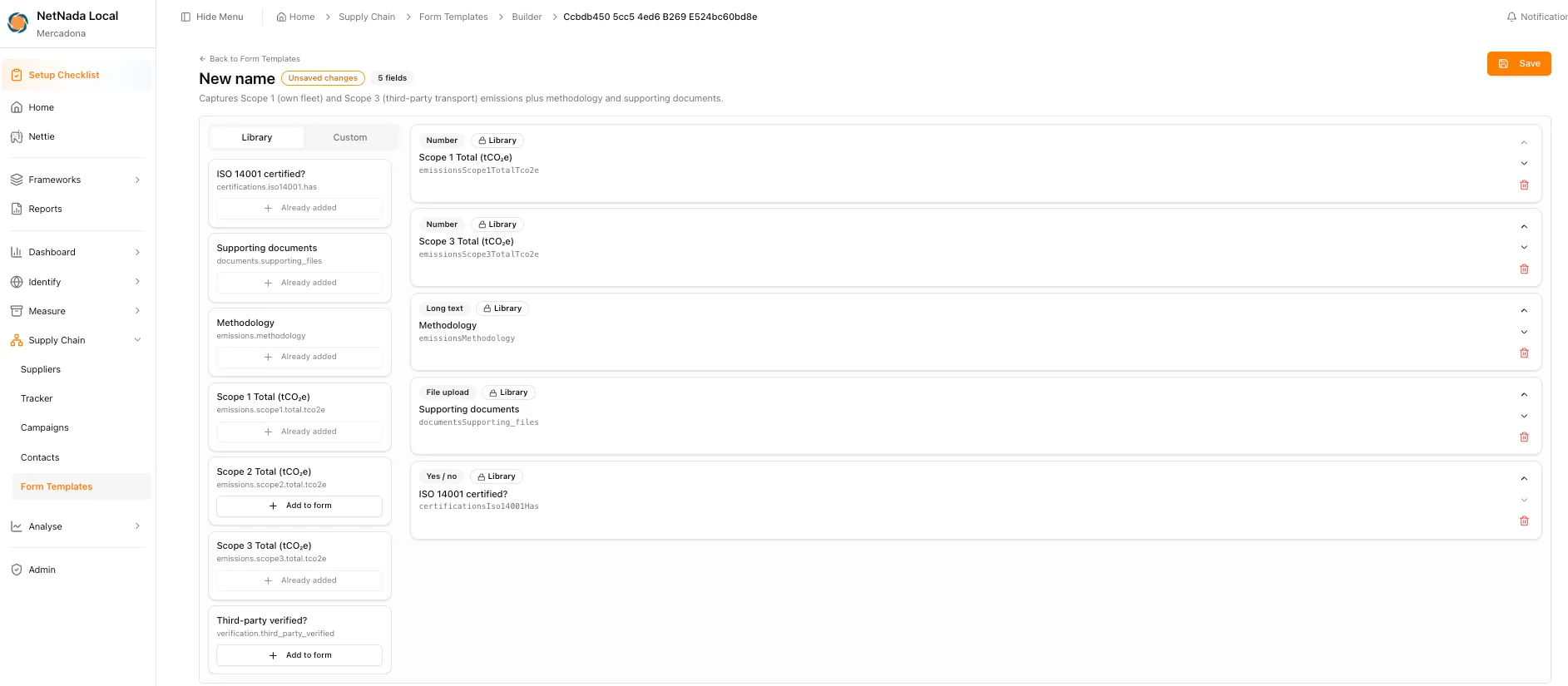
You can send NetNada’s ready-made forms or author your own. Form Templates let you duplicate a NetNada starter — like GHG Disclosure Basic, Procurement Spend, or Logistics & Freight — or build a custom template from scratch.
The form builder lets you assemble the exact fields you want to request from suppliers, pulling from a reusable field Library or adding custom inputs.
Supplier Portal
Suppliers can access a secure magic link with an expiration window, complete the requested information, and submit data without needing to navigate the full NetNada platform. Where previous engagement data already exists, NetNada can cross-check it and suggest responses to reduce repeated effort.
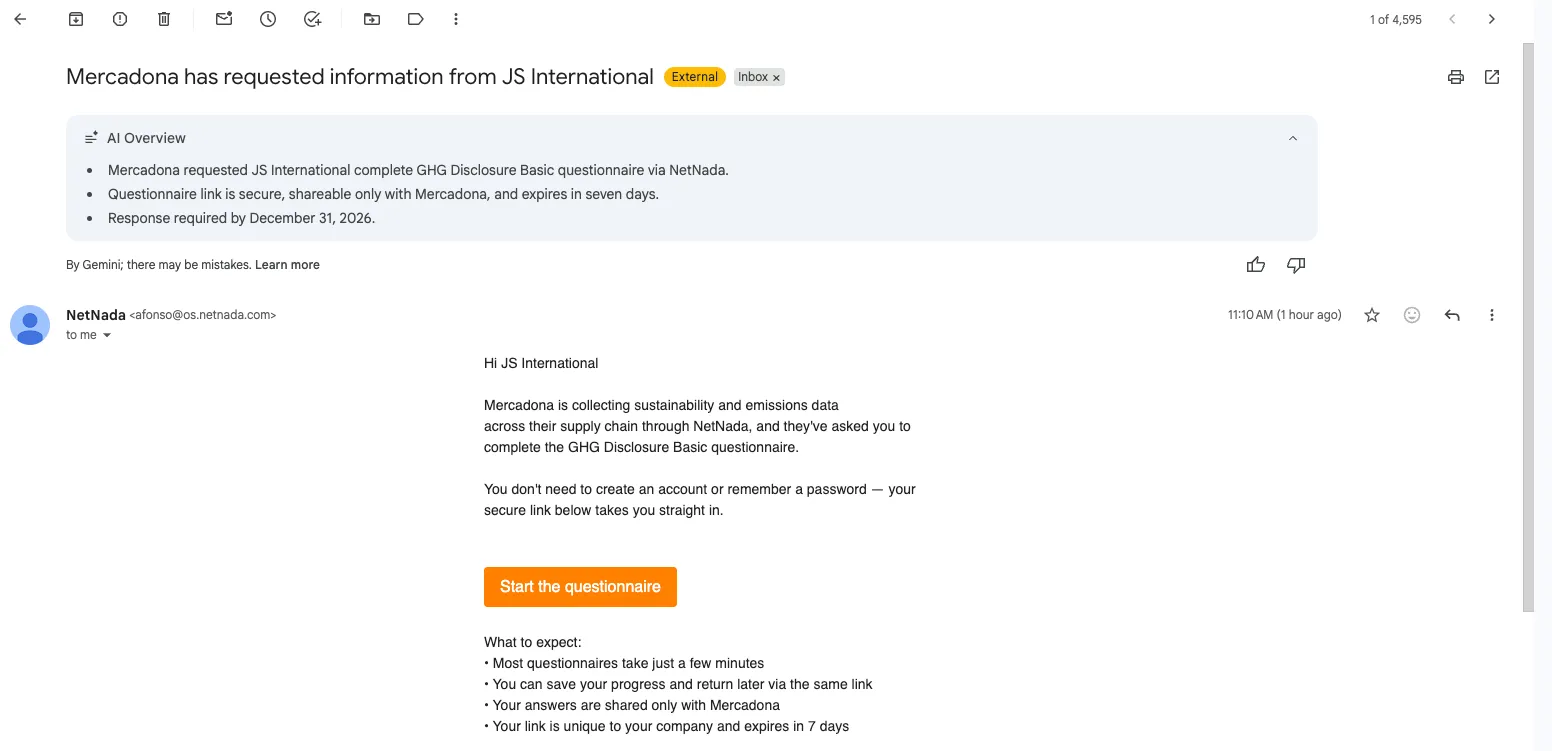
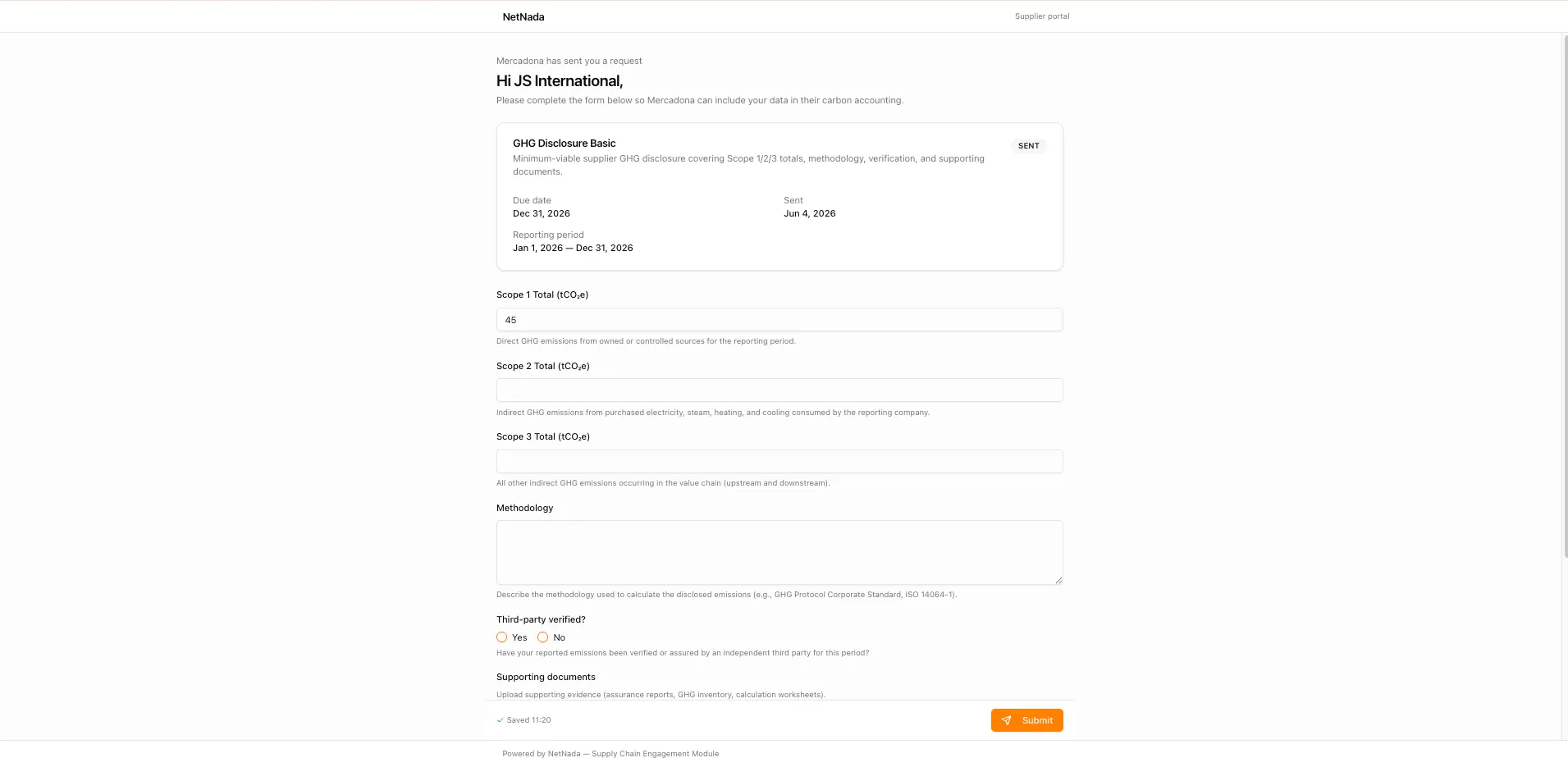
Why it matters: this gives customers a more scalable way to request, collect, track, and complete supplier data without relying on repeated manual follow-ups.
Node Export & Import Enhancements
Node structures are now easier to move and reuse across tenants.
What's new
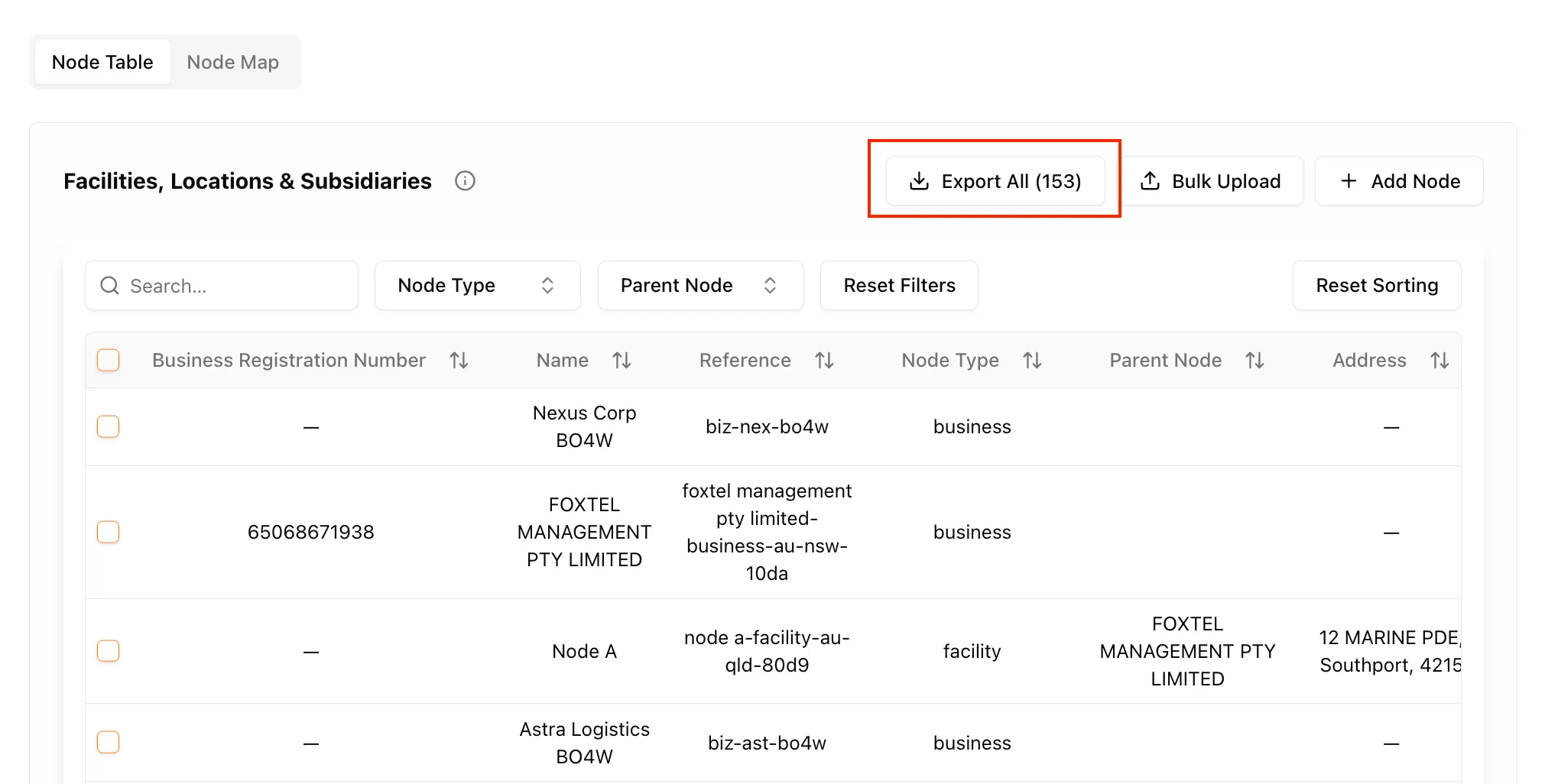
- Export nodes in XLSX format
- Import exported nodes into another tenant
- Export selected nodes
- Export filtered node views
- Migrate larger node structures without recreating them manually
Invoice Workflow & Task Status Automation
Task progress now better reflects what has actually been reviewed and submitted.
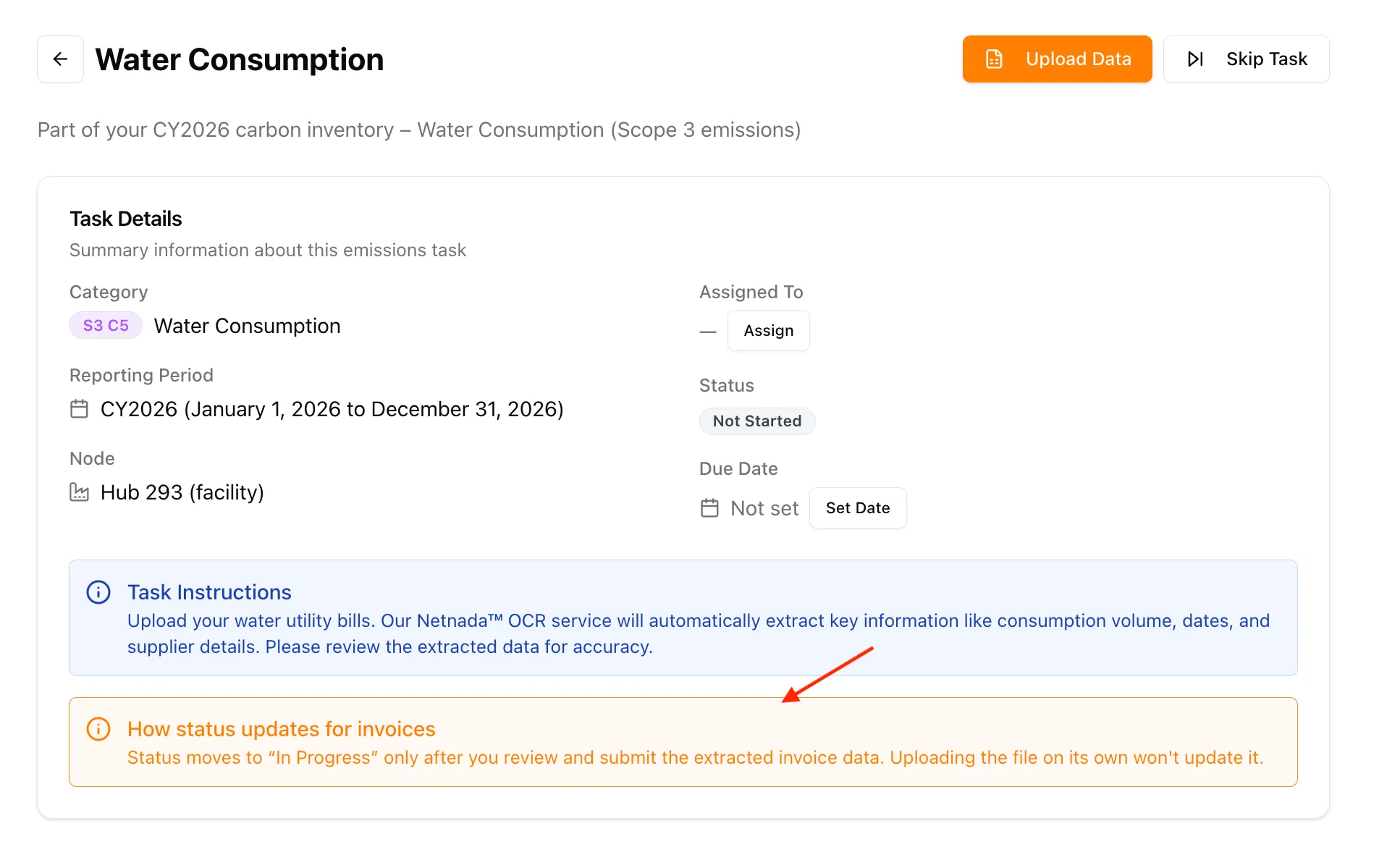
- When invoice data is uploaded to a task with Not Started status, the task no longer moves forward too early
- The task now updates to In Progress only after a successful review and submission
- This keeps task progress aligned with completed actions rather than upload attempts
Audit Transparency — Currency Conversion Now Fully Traceable
For clients with spend-based emissions data, NetNada now makes foreign exchange and inflation adjustments much easier to verify. Conversion steps that previously sat behind the scenes are now visible across exports, the Carbon Ledger, and the transaction line drawer.
What's new
- Audit Export now includes FX Multiplier, CPI Multiplier, and Activity (Converted)
- Carbon Ledger now supports the same three fields as optional table columns
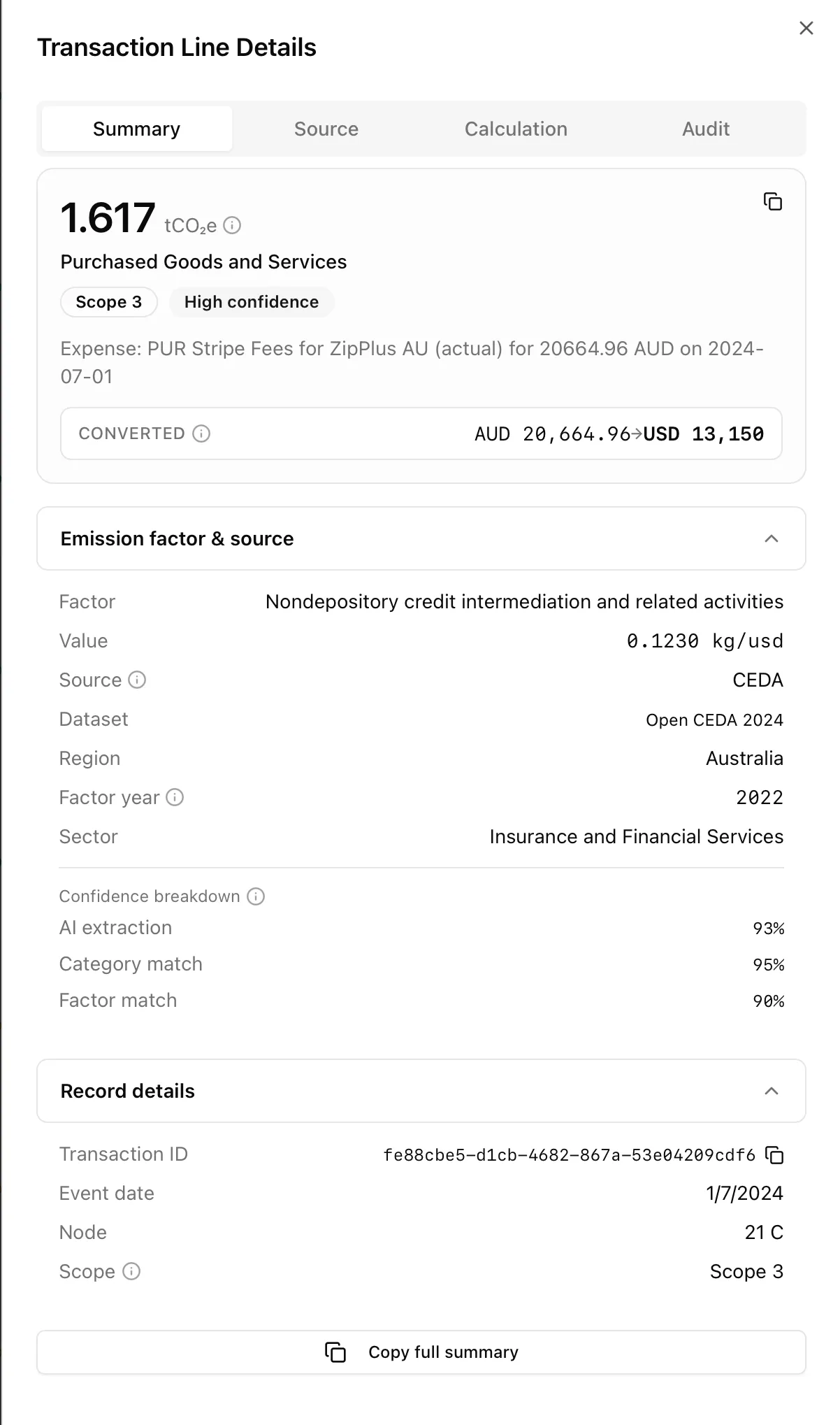
- Transaction Line drawer now shows factor details, converted activity, and currency conversion inputs in one place
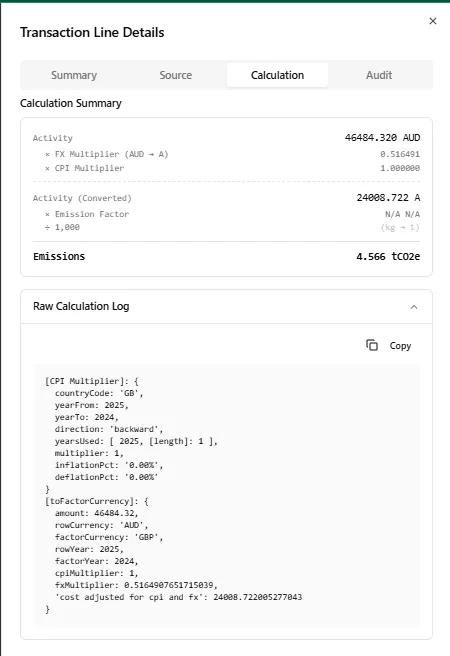
- Calculation tab now presents a step-by-step chain from Activity → Conversion → Emission Factor → Emissions
- The raw technical log is still available in an expandable panel for deeper audit review
The transaction line drawer brings the converted amount, emission factor, source, and confidence breakdown together in a single Summary view.
The Calculation tab lays out the full chain — activity, FX multiplier, CPI multiplier, converted activity, emission factor, and final emissions — with the raw calculation log expandable underneath.
Why it matters: third-party verifiers conducting AASB S2, NABERS, or Climate Active assurance can now independently reconcile emissions figures more easily from the exported data and calculation details.
Calculation Accuracy Improvements
We’ve made several improvements across transport, stationary combustion, and water consumption calculations to improve accuracy and flexibility.
Scope 3 Category 5 — Water Consumption
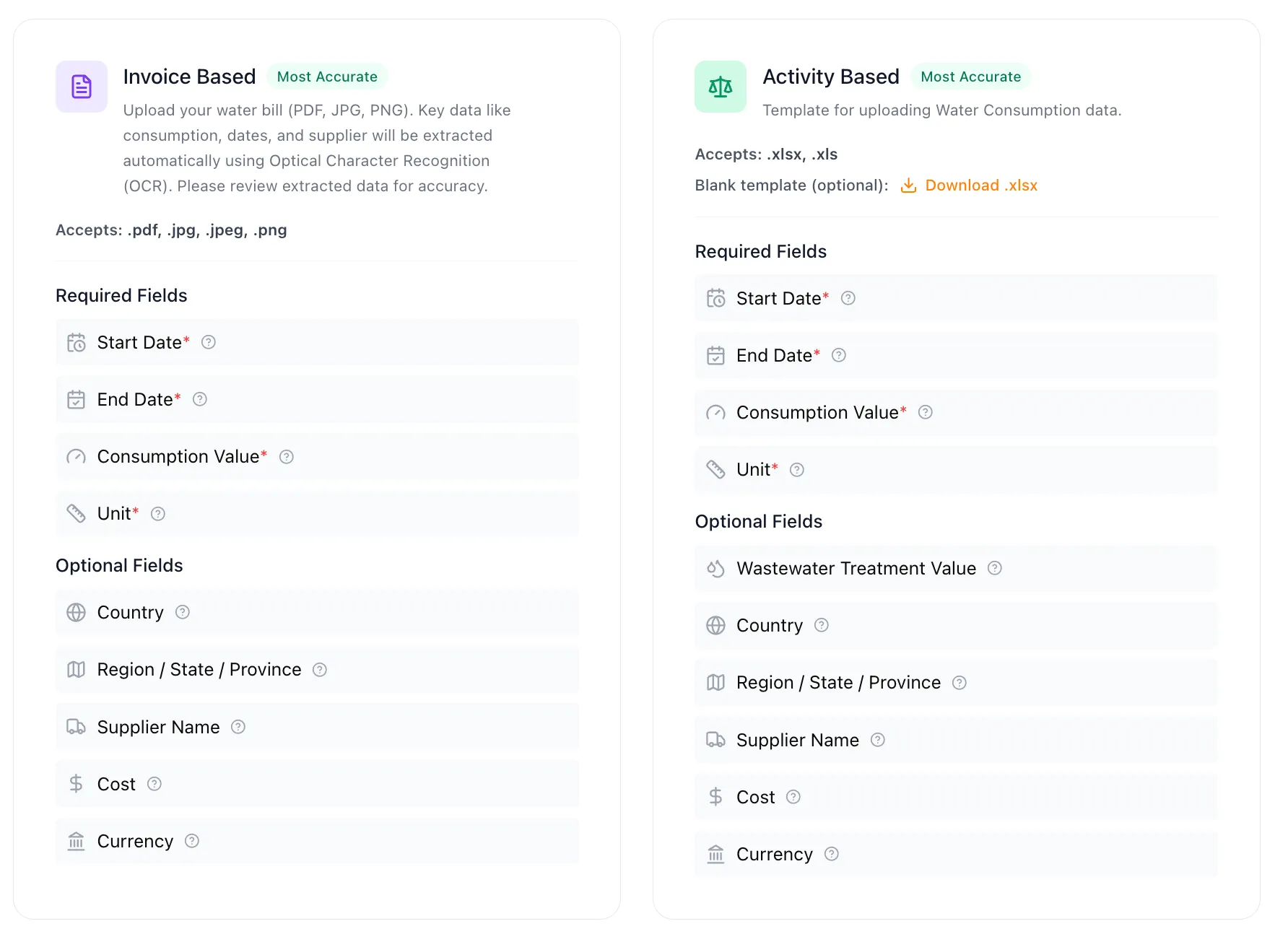
Water Consumption now supports activity data inputs, providing greater flexibility when capturing and calculating emissions — alongside the existing invoice-based upload path.
Company Vehicles & Business Travel
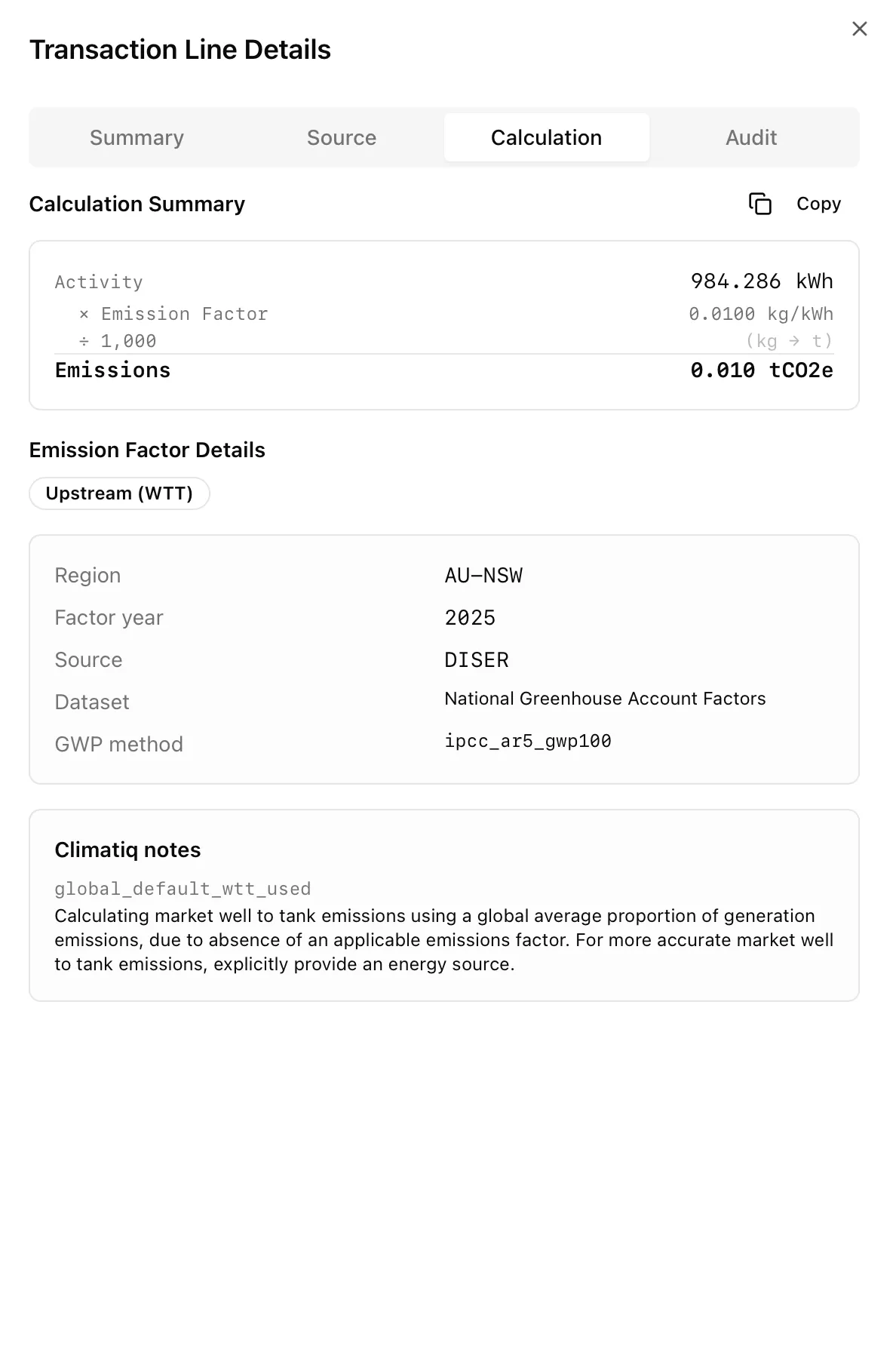
- Emission factor selection now considers both fuel type and vehicle type, where available
- Well-to-tank (WTT) emissions are now correctly reported under Scope 3 Category 3
- Rows with unrecognised or missing optional vehicle types no longer block the entire upload
Stationary Combustion
- Fuel Combustion has been renamed to Stationary Combustion
- Stationary Combustion now supports both volume-based and energy-based inputs, including diesel used in generators
- Country and Region are now optional across templates and datasets, falling back to the node’s configured region when omitted
- Vehicle fuel unit validation has been improved, including support for both L and litre
Scope 2 Revamp
Scope 2 calculations have been revamped to address several issues with emission factor selection and calculation accuracy, including the Zip Co discrepancy and the location-based vs market-based calculation issue.
Fugitive Emissions Audit
We completed a read-only audit of the fugitive calculator and the wider Scope 1 path. Findings are written up as a bug backlog ticket — nothing shipped from this yet; the work is queued for next sprint planning.
Processing & Review — Bulk Node Editing
You can now reassign nodes in bulk during Processing & Review — including files that already have a node assigned.
- Select multiple rows in the processing table
- If selected rows already have nodes, an Edit node action appears in the action bar
- Choose a new node and apply it to all selected files at once
- The existing Assign node flow for unassigned files remains unchanged
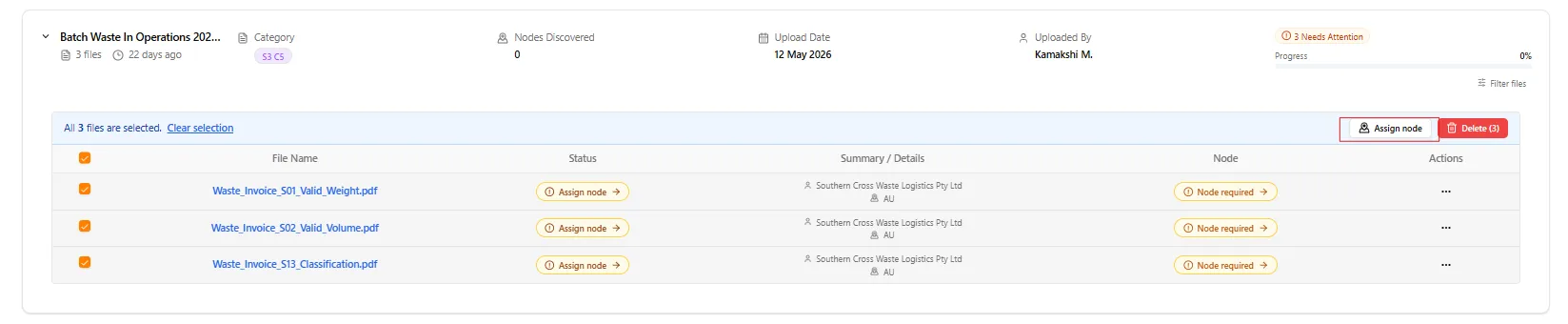
Why it matters: this reduces the need to update node assignments one file at a time when reviewing larger batches.
Nettie & Reporting Period Clarity
A few smaller improvements also make the platform easier to understand and use day to day.
- Nettie is now up to date with the latest website data
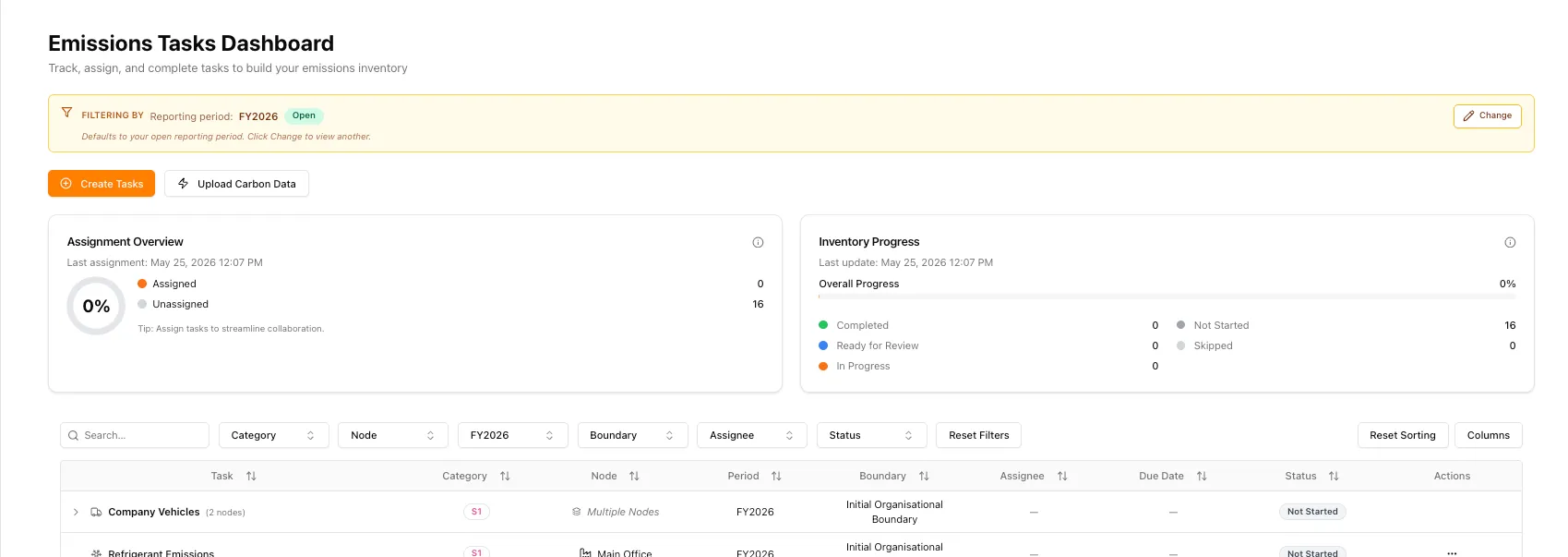
- We added clearer messaging where open reporting periods are shown by default across screens such as Tasks and Dashboards
- This should make it easier for users to understand why open periods are appearing by default
Framework Document Upload Experience Improvements
We’ve polished parts of the file upload experience to make it easier to manage documents as they enter the platform.
- Upload UI improvements for a smoother file intake experience
- Broader support for accepted document types
- Improved file management within the upload framework
- Delete functionality added for uploaded files
Under The Hood: Bugs Fixed
We also resolved a few issues that were affecting calculations, reports, and day-to-day workflows:
- Scope 2: emission factor selection and calculation issues resolved, including the Zip Co discrepancy and the location-based vs market-based calculation issue
- Refrigerants calculator: fixed after a calculation submission issue caused the engine to look for a file ID
- Reports: report table rows can now be deleted where needed
- File deletion: reliability improved to prevent duplicate recalculation conflicts and cleanup issues
- Optional fields: unresolved optional fields are now flagged separately, allowing valid data to continue processing
Related bug tickets: TAS-2220, TAS-2183, TAS-2227, TAS-2255 and additional Scope 2 bug reports.
If you notice anything unexpected post-release, please share the tenant/org, page URL, steps to reproduce, and a screenshot if possible.
Making this planet better, one sprint at a time. 🌏
Want to see these features in action? Book a demo today.
Start Your Climate Reporting Journey
Join 1,000+ Australian businesses using NetNada for carbon accounting and sustainability reporting.